25
the section to be removed. A “B” will be placed on the progress banner
indicating the end of the section to be removed.
z Yellow Button-Remove A-B : Press the Yellow button once you have set
the section of the recorded program to be removed. A dialog box will be
displayed asking whether you wish to remove the selected section. Select
Yes and press the OK button. The section will now be removed and will not
be viewed during playback. This section will also change colour from blue
to purple in the playback progress banner when Info button is pressed.
Should you not wish to proceed with removing this section select NO to
change the section to be cut or select Cancel to exit from this option
completely and return to normal playback.
z Blue Button-Recovery : Press the Blue button should you wish to cancel
the removed section of the recorded program. This will remove the all
removed sections and program will now play in its entirety.
4. Please Note: You can remove as many sections within the recorded program as
you wish by simply following the above steps again.
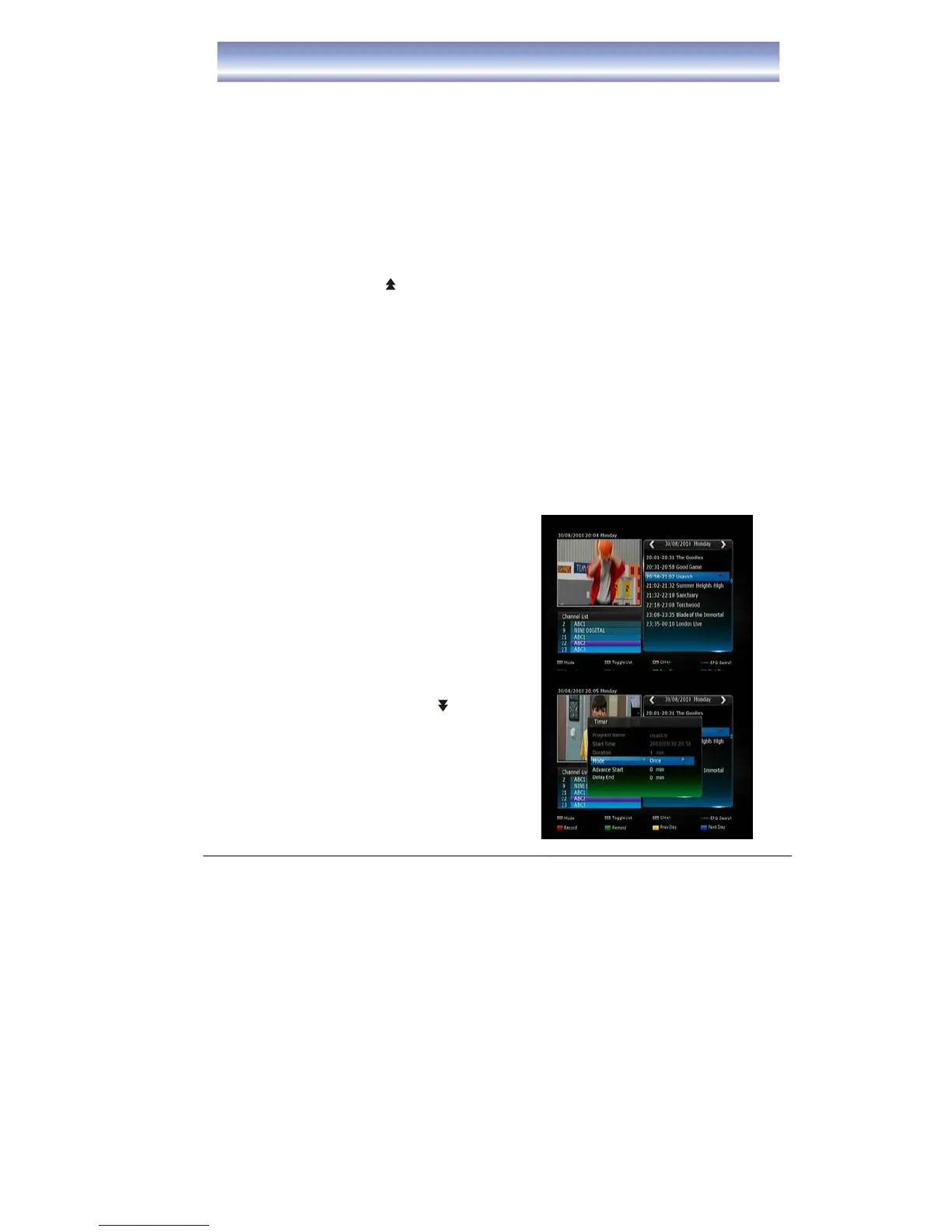
Recording Function
EPG RECORDING
1. Display the EPG by pressing
[EPG] in Live TV
Mode.
2. Press [▲][▼] to select desired
channel and press the [OK]
button.
3. Press [▶] right arrow button to
access program list
4. Press [▲][▼] to highlight the
program you wish to record.
5. Press [ ][ ] to scroll
between pages.
6. Press [RED] button to record the
program.
z Press [RED] button once, a “red square”
icon will be displayed next to the program
z Press [RED] button twice, to edit the
Recording settings (such as:
Mode/Advance Start/Delay and End



 To Next Page