Fusion® User Manual 8Zephyr® User Manual 8
Installation: Start Up
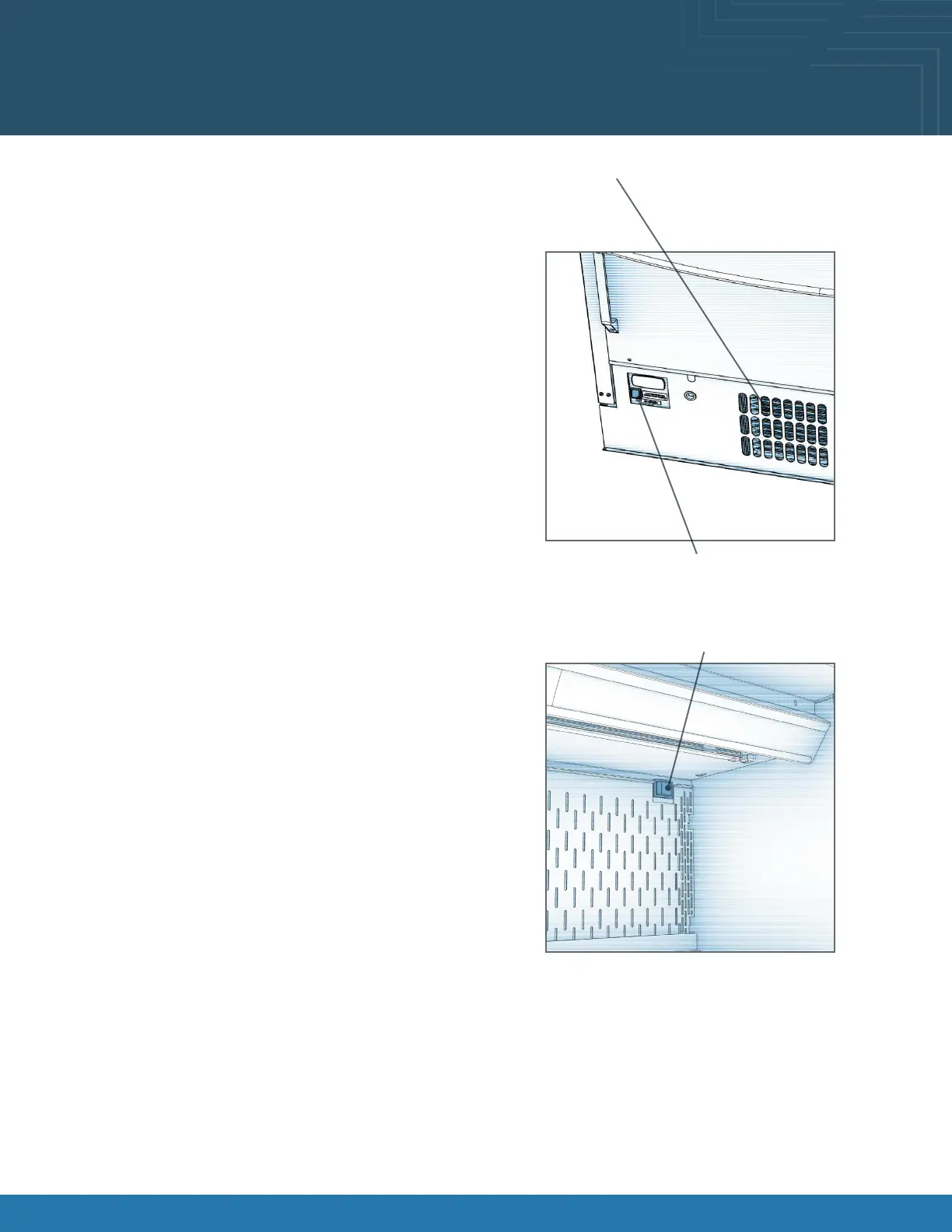
Plug Case In/Turn On Main Power Switch:
• Do not use an extension cord with this case.
• Do not operate this equipment with a damaged cord,
plug, or outlet.
• Ensure that the main power switch is off.
• Plug the cord into a certied 220V electrical outlet with
ground.
• Turn main power switch on.
• Coil fans should turn on.
• From inside of the case, check for discharge air from
front bafe, to conrm that the fans are functioning
properly.
• When the case is in a start-up mode or has been idle
for a long period of time, unit may require 75 minutes
running time to pull down the temperature.
• Turn lights on.
• Light switch is located in the upper rear back of
merchandising area.
• Always maintain front and rear airow clearance of four
inches.
• Obstruction or restriction of air can void warranty.
• Note: Case temperature setting is determined by case
size. Temperature is controlled by a thermostat.
• Thermostat is programmed per model at factory. No
adjustments are necessary.
Light Switch
Main Power Switch
DO NOT BLOCK AIR INTAKE









 To Next Page