20 www.stryker.com
EN 0703-001-700 Rev-C
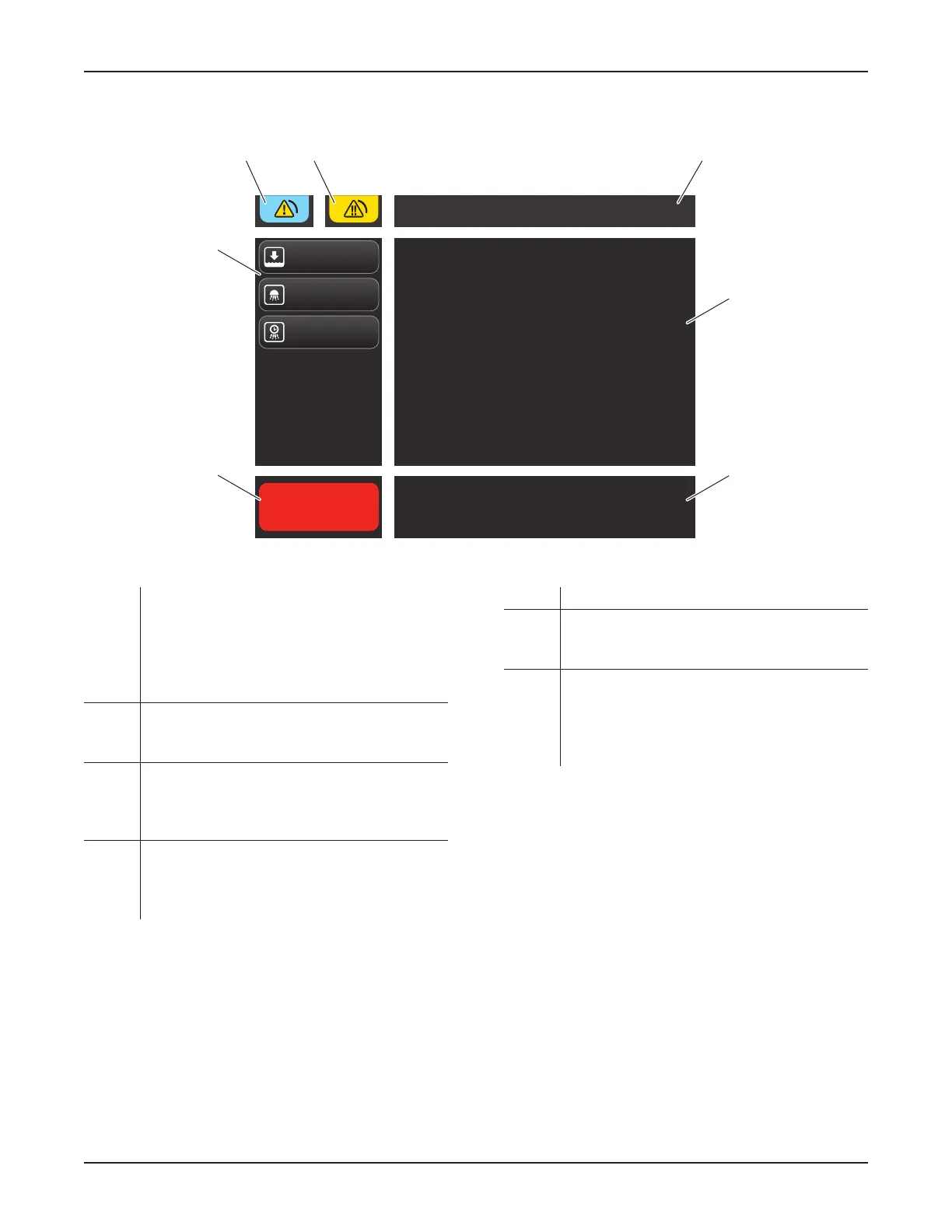
6.2.3.3 Typical Docking Mode Screen Areas
Normal Wash
Select an option from
the left-hand menu
Normal Wash cycle will start automatically in 2
Cancel
Docking Mode
Quick Wash
Extended Wash
C D E
F
G
B
A
Figure 15 – Docking Mode Screen
A Cycle Control Area – Allows for most control
over cycle activity, including: ABORT TO
QUICK WASH, CANCEL, and RELEASE FROM
DOCKer after cycle completion. For additional
cycle control information, see Section 8.4.3.2
To Perform a Docking Cycle.
B Cycle Options Menu – Allows for the manual
selection of a cycle. Manual selection will
override the default cycle setting.
C Notification Message Area – Indicates when
a low priority alarm condition has occurred
(Figure 16); touch to access the drop-down list
and/or message.
D Error Message Area – Indicates when a
medium priority alarm condition has occurred;
touch to access the drop-down list and/or
message.
E Title Area – Indicates the name of the screen.
F Status Area – Provides instruction, identifies
the type of cycle selected, and indicates the
cycle status.
G Default Cycle Message Area – Indicates when
the default cycle will begin after the rover is
connected to the docker. A selection from the
cycle options menu may be made to override
the default setting.
0000160552, Rev. C Effective Date: Nov 25, 2015 1:43:15 PM
Print Date: Nov 25, 2015 02:19:13 PM


 To Next Page
 Loading...