101176 REV E 23
Functional Check
BACKUP LIMIT THERMOSTAT TEST
This test is used to insure the temperature at the pad stays below a safe level in an over temperature condition.
Test Procedure:
1. To perform this test you will need to separate the upper housing from the center tray assembly by removing 4
screws (reference #13 parts illustration (1) screw by power cord, (1) screw by hose strap and (2) screws in front
corners to install the Test probe, as shown in figure 10). Be sure to position test probe away from motor fan.
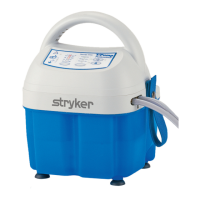
2. Plug the T/Pump into a properly grounded Hospital Grade receptacle.
The T/Pump performs its self test of the lights and audible alarm, with light pattern and short audible beep.
The T/Pump goes to Standby mode with only the Standby light on.
3. Press the On/Standby button. The T/Pump starts running at the default Setpoint of 100ºF (38ºC). Note: The
Control & Over Temperature processor are reading the room temperature. This makes the system “believe” it
will always require the heater due to the temperature the processors read is below the required Setpoint. This
will drive the water flowing through the system to a temperature that will “trip” the thermostat (in approximately
10 to 15 minutes). Record the peak temperature read by the thermometer. The temperature recorded must be
between 110ºF (43.3ºC) and 120ºF (49ºC). If the thermostat operates outside its intended range, it must be
replaced. After the thermostat “Trips” the system will cool down to a temperature that resets the thermostat
(in approximately 20 to 25 minutes). This “Trip”/Reset cycle will continue until the unit is put back into Standby
mode.
4. Press the On/Standby button. The T/Pump goes into Standby mode.
5. Unplug the T/Pump.
6. Unplug the Test probe, and plug the Original Temperature Sensor back in.
7. Close the unit. Reinstall screws removed in step #1 and tighten to secure.
Figure 10: Connection of Test Temperature Sensor






 To Next Page