12 101176 REV E
Features
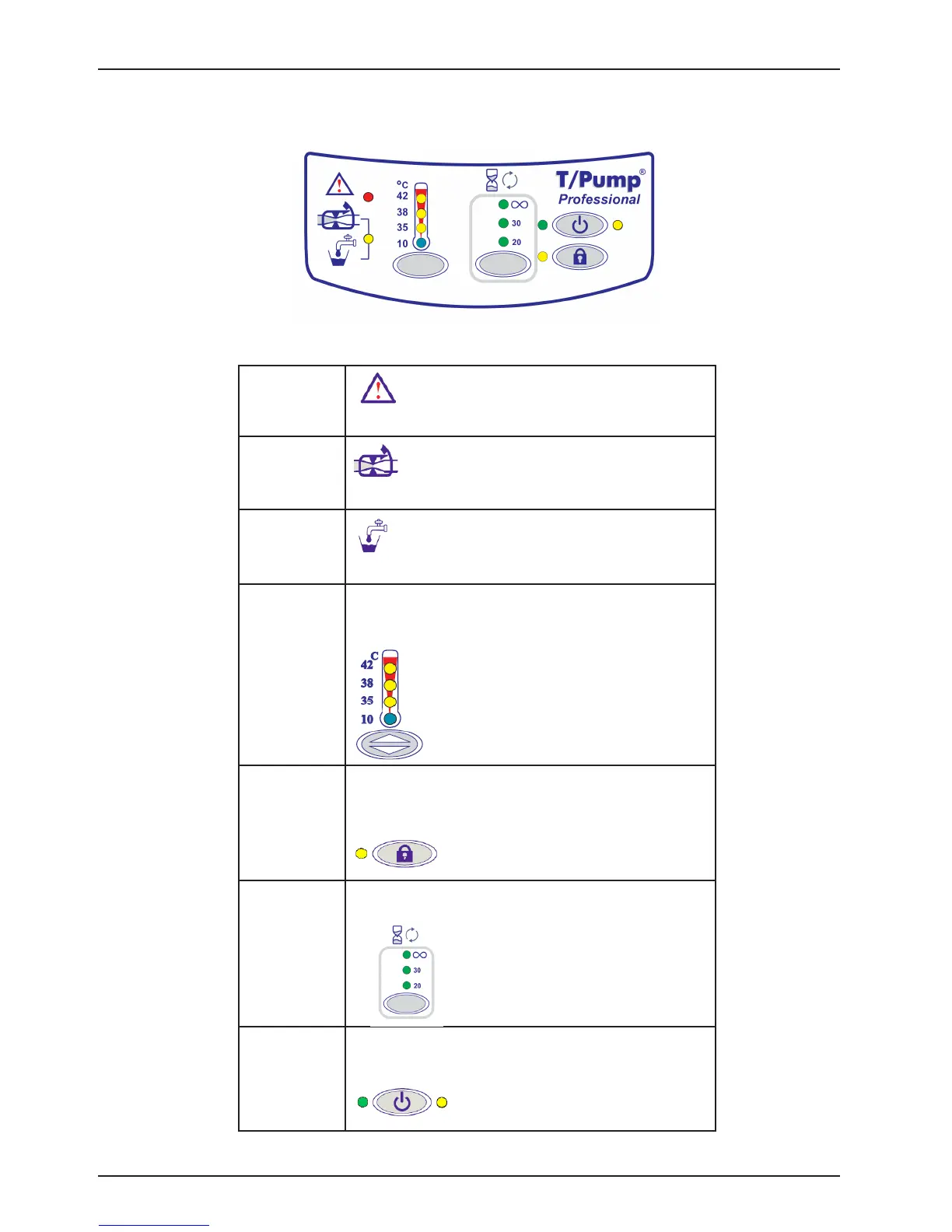
KEYPAD FEATURES TP702 SERIES
Indicator/
Warning Light
See the Troubleshooting section on page 28.
Water Flow
Check hoses or clamps for kinks or occlusions.
Water Level
Check water level.
Setpoints Press the button at the bottom of the setpoint indicator
to toggle through the four setpoints. Temperatures are
identified in °C.
Setpoint Lock Prevents tampering.
Press and hold for 2 seconds to lock or unlock the
setpoint.
Therapy
Cycles
Continuous cycle, 30-minute cycle or 20-minute cycle.
On/Standby
Button
Green indicates the unit is on.
Yellow indicates power is supplied to the unit but the unit
is not on.
Figure 5: TP702 Keypad






 To Next Page