EasyManua.ls Logo

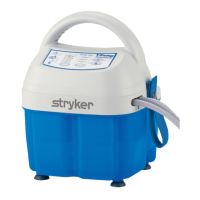
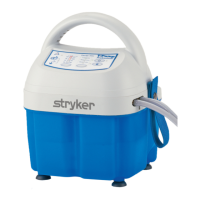
Stryker TP700 - Service Manual

Stryker TP700
36 pages
Print Icon
To Next Page IconTo Next Page
Loading...
2014/06 E.3 101176 REV E
T/PUMP®
Series Localized Temperature
Therapy System
TP600 & TP700
Service Manual

Other manuals for Stryker TP700

Questions and Answers

  • C
    Courtney StuartJul 25, 2025
    What to do if Stryker Water Pump will not turn on?
    • K
      Kathryn HernandezJul 26, 2025
      If your Stryker Water Pump isn't turning on, there are several potential causes: * Ensure the electrical cord is fully plugged into a properly grounded Hospital Grade receptacle. * Check the power cord for any visible damage and replace it if necessary. * For PC board issues, refer to troubleshooting steps for 'T/PUMP will NOT heat'. * A defective Membrane Panel might be the cause, requiring replacement.
  • T
    Tina HicksAug 2, 2025
    What to do if Stryker Water Pump will not pump?
    • M
      murphybrandiAug 3, 2025
      If your Stryker Water Pump isn't pumping, it could be due to several reasons: * The water level might be low or the reservoir empty. Refill with room temperature water to the correct level. * There might be a loss of power to the motor. Check the power (TP650(C)/TP700(C) - 120V ± 10% or TP702 - 230V ± 10% ) across the motor connections. * It could be a defective motor or a defective impeller magnet/magnet driver assembly. Replace the motor if the fan isn't spinning when plugged in and in run mode. Otherwise, check the impeller for any obstructions or replace the Impeller magnet assembly. If the fan spins and the impeller magnet assembly is fine, check if the screw holding the driver magnet to the motor shaft is tight.
  • M
    Martha AtkinsonAug 10, 2025
    How to unlock temperature or therapy time buttons on Stryker TP700 series Water Pump?
    • J
      Justin ValdezAug 10, 2025
      If the temperature or therapy time buttons on your Stryker TP700 Series Water Pump aren't working, it's possible they've been locked. To unlock them, press and hold the lock button for two seconds. If this doesn't work, the membrane panel may be defective and require replacement.
  • J
    James SalasAug 17, 2025
    Why is the warning indicator on my Stryker Water Pump in standby mode?
    • J
      Joshua WilliamsAug 17, 2025
      The warning indicator might be ON in Standby Mode on your Stryker Water Pump because the unit shut down due to an over-temperature condition. To resolve this, empty the reservoir and refill it with room temperature water. Ensure all clamps are open, then press the On/Standby button. Verify flow through the pad. The Warning light should turn OFF within 5 minutes.

Summary

Symbols and Definitions

Symbols Overview

Lists and explains symbols used in the manual for clarity and understanding.

Safety Precautions

General Warning Information

Details critical safety warnings and potential hazards associated with T/Pump operation.

Cautionary Advice

Provides cautionary advice for safe operation and to prevent product damage.

Introduction to T;Pump

Initial Setup and Inspection

Covers initial setup steps including receiving inspection and return procedures.

Connecting Therapy Pads

Instructions on how to connect the therapy pads to the pump.

Catalog Descriptions

Product Identification and Ordering

Lists T/Pump models and associated pads with part numbers for identification and ordering.

T;Pump System Features

Pump Features Overview

Details the various features and functionalities of the T/Pump unit.

Keypad Features

TP600 Series Keypad Operation

Explains the keypad layout and functions specific to the TP600 Series.

TP700 Series Keypad

TP700 Series Keypad Functionality

Explains the keypad layout and functions specific to the TP700 Series.

TP702 Series Keypad

TP702 Series Keypad Functionality

Explains the keypad layout and functions specific to the TP702 Series.

Technical Specifications

Electrical and Environmental Specifications

Details electrical requirements, certifications, and environmental conditions.

Operating Instructions

Clik-Tite Connector Operation

Step-by-step guide for connecting and disconnecting Clik-Tite connectors.

Quick Disconnect Operation

Connecting and Disconnecting Quick Disconnects

Instructions for connecting and disconnecting quick release fittings.

Start-Up and Shutdown Procedures

T;Pump Start-Up Procedure

Detailed steps for initial setup and operation of the T/Pump.

T;Pump Shutdown Procedure

Steps for properly powering down and securing the T/Pump.

Cleaning and Storage

Storage and Draining Instructions

Guidelines for short-term and long-term storage and draining the pump.

Cleaning Procedures

Institutional (Hospital) Cleaning

Specific cleaning procedures for hospital environments and pads/accessories.

Water Temperature Control

Fluid System Overview

Details the components and operation of the T/Pump's fluid system.

Theory of Operation

T;Pump Component Identification

Identifies and describes the main components of the T/Pump unit.

Functional Check Procedures

Pre-Check Requirements and Setup

Lists required equipment and setup for functional checks.

Operational Checks

Temperature and Flow Verification

Detailed procedure for checking operational temperatures and flow rates.

Safety Circuit Testing

Backup Limit Thermostat Test

Procedure to test the backup limit thermostat for safety.

Additional Functional Checks

Leak, Ground Resistance, and Leakage Tests

Procedures for performing leak, ground resistance, and current leakage tests.

Disassembly and Reassembly

Reservoir and Housing Disassembly

Steps for disassembling the reservoir and front/rear housing.

PC Board and Heater Kit Removal

Steps for accessing and removing the PC board and heater kit.

Heater Assembly Reassembly

Heater Assembly Reassembly Steps

Instructions for reassembling the heater assembly, including ribbon cable routing.

Troubleshooting Common Issues

Power and Pumping Problems

Diagnoses issues when the T/Pump will not turn on or will not pump.

Indicator and Button Issues

Solves problems with warning indicators and unresponsive control buttons.

Troubleshooting Indicators and Alarms

Flow and Warning Indicator Troubleshooting

Diagnoses issues related to flow indicators, warnings, and alarms.

Troubleshooting Performance Issues

Heating and Cooling Failures

Addresses problems when the T/Pump fails to heat or cool.

Water Leakage Troubleshooting

Diagnoses and resolves water leakage from hose connections.

Parts Illustration

Kit Components Illustration

Illustrates the various kits and components of the T/Pump.

Replacement Parts List

Replacement Parts Ordering Information

Lists part numbers, quantities, and descriptions for ordering replacement parts.

Warranty Information

Product Warranty Details

Outlines the warranty terms and conditions for the pump, pads, and parts.

Stryker TP700 Specifications

General IconGeneral
CategoryMedical Equipment
ModelTP700
TypeTourniquet System
Occlusion AlarmYes
Battery LifeMinimum 4 hours
TimerYes

Related product manuals