D21m System
D21m Modules 6-35Date printed: 25.09.07
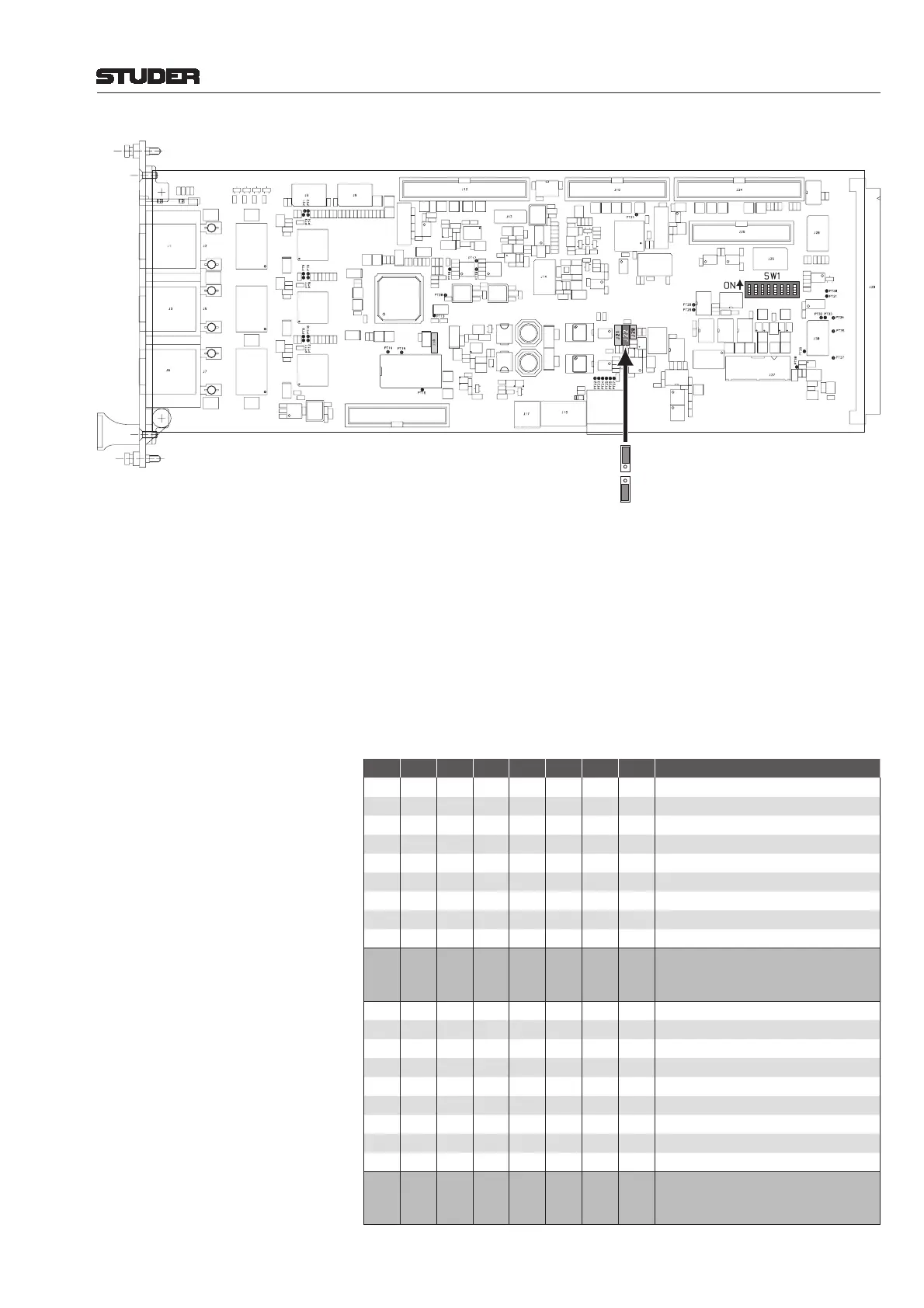
J22:
ES Giga
ES 100
LEDs: ES-100, ES-GIGA Indicate the mode selected with jumper J22.
ES CLOCK Green: The card is the clock source of the EtherSound
®
network.
Red (only in case of a ring network topology): The card was defi ned to be
the clock source of the EtherSound
®
network, but it is not, due to a device or
cable failure in the ring.
Flashing red (only in case of a ring network topology): The card was not
defi ned to be the clock source of the EtherSound
®
network, but it actually is,
due to a device or cable failure in the ring located just next to the card.
Dark: The card is not the EtherSound
®
clock source.
DIP Switch:
SW1 DIP switch for D21m channel count setting:
1 2 3 4 5 6 7 8 Number of Channels
OFF OFF OFF OFF - - - -
0 inputs
OFF OFF OFF ON - - - -
8 inputs
OFF OFF ON OFF - - - -
16 inputs
OFF OFF ON ON - - - -
24 inputs
OFF ON OFF OFF - - - -
32 inputs
OFF ON OFF ON - - - -
40 inputs
OFFON ONOFF - - - -
48 inputs
OFF ON ON ON - - - -
56 inputs
ON OFF OFF OFF - - - -
64 inputs (factory default)
ON
:
ON
OFF
:
ON
OFF
:
ON
ON
:
ON
-
-
-
-
-
-
-
-
-
-
-
-
NOT ALLOWED
- - - - OFF OFF OFF OFF
0 outputs
- - - - OFF OFF OFF ON
8 outputs
- - - - OFF OFF ON OFF
16 outputs
- - - - OFF OFF ON ON
24 outputs
- - - - OFF ON OFF OFF
32 outputs
- - - - OFF ON OFF ON
40 outputs
- - - - OFF ON ON OFF
48 outputs
- - - - OFF ON ON ON
56 outputs
- - - - ON OFF OFF OFF
64 outputs (factory default)
-
-
-
-
-
-
-
-
-
-
-
-
ON
:
ON
OFF
:
ON
OFF
:
ON
ON
:
ON
NOT ALLOWED



 To Next Page