GLOBAL
VELOCITY
CURVE:
This
VELOCITY
CURVE
setting
is
a
global
one, meaning
it
affects
the dynamic response of the entire keyboard across all (2) ZONES. There are 8 global settings
to choose from. Again, these setting are accessed while in the EDIT mode.
SUSTAIN
PEDAL:
The
Studio
Logic
SL-161/SL-61
has
a
connection
jack
on
the
rear panel for
a
SUSTAIN
PEDAL
input.
The
VP-26
by Fatar
is
recommended.
VOLUME
PEDAL:
The
Studio
Logic
SL-161/SL-61
has
a
connection
jack
on
the
rear panel for
a
stan-
dard
VOLUME
PEDAL
input.
POWER
INPUT:
The
Studio
Logic
SL-161/SL-61
has a
connection
jack
on
the
rear
panel
for
the
sup-
plied
POWER
SUPPLY
input.
MEMORY
STORAGE:
The
Studio
Logic
SL-161/SL-61
will
remember
all
of
your preset information when
powered down. All programmed settings are transmitted when the unit is powered up. There
is no need to store edited information, simply exiting the edit mode causes the information
to be stored.
SECTIONS.
Rear Panel Connections and Features:
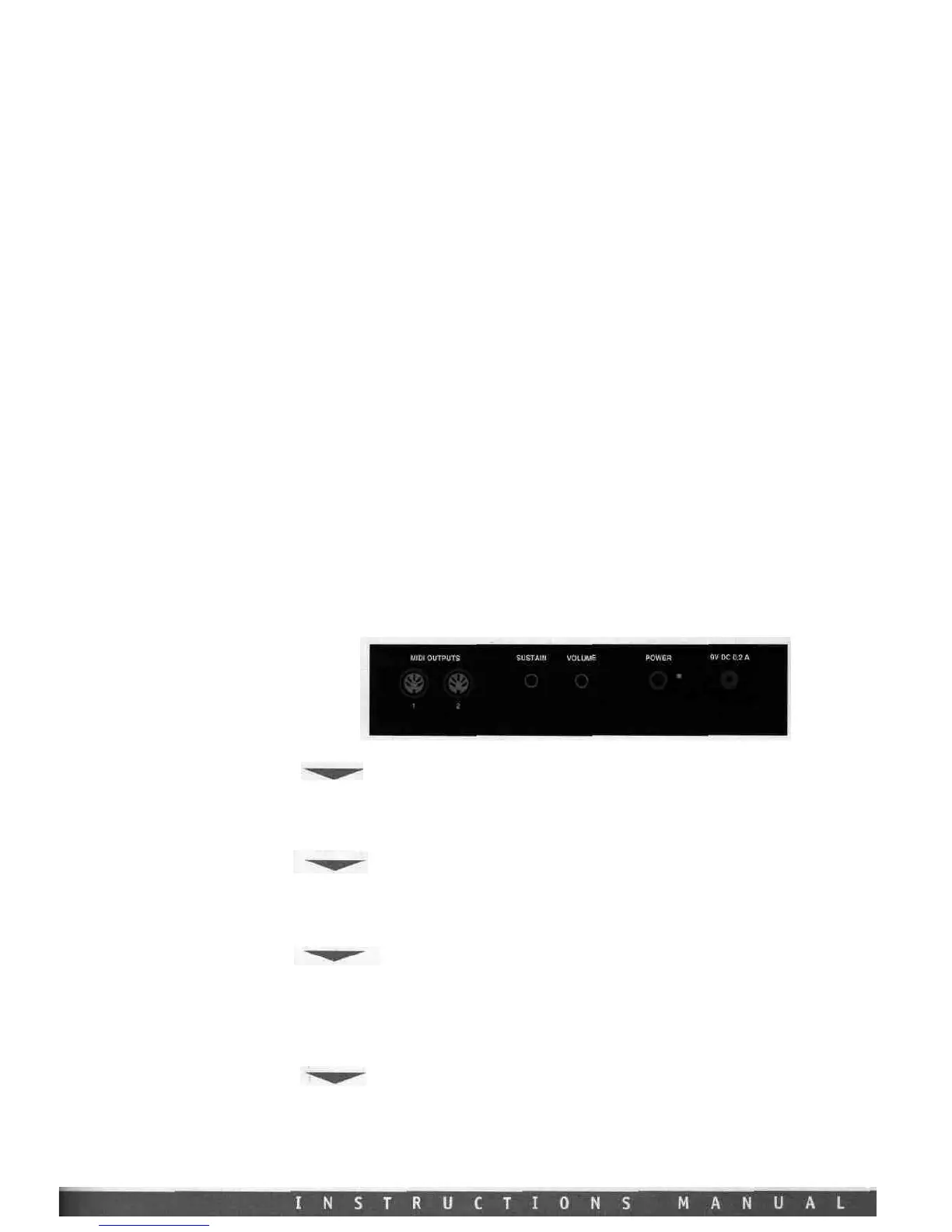
Powering up. Connecting Pedals and hooking up with your other gear.
POWER INPUT
The
Studio
Logic
SL-161/SL-61
has
a
connection jack on
the
rear
panel for
the
AC
POWER
SUPPLY
INPUT.
The
AC
adapter
POWER
SUPPLY
supplied
with
this
unit
is
a
positive
tip
9V
DC
with
a
minimum current of 200 mA.
POWER SWITCH
The
Studio Logic
SL-161/SL-61
has
its
POWER
SWITCH
located on
the
back
panel next
to
the
POWER
SUPPLY
INPUT.
There
is
also
a
red
LED
to
indicate
the
unit
is on.
Upon
powering up
the
key-
board all preset data is transmitted out through the MIDI OUT connections.
SUSTAIN PEDAL
The
Studio Logic
SL-161/SL-61
has
a
connection jack on
the
rear
panel for
a
SUSTAIN
PEDAL
input.
This jack
will
function
properly
with
either
type of "normally closed" or "normally open"
SUSTAIN
PEDALS.
Upon
powering up
the
Studio Logic
SL-161/SL-61
will
recognize whichever type
of
pedal is presently connected to the keyboard, regardless of polarity (e.g. PS100 or VFP1). Note:
SUSTAIN
PEDAL
must
be
plugged
in
prior
to
powering up
to
properly
sense
polarity.
VOLUME PEDAL
The
Studio
Logic
SL-161/SL-61
has
a
connection jack on
the
rear
panel for
a
standard
VOLUME
PEDAL
input
that
uses
a
stereo or balanced jack
(e.g.
VP-26
by Fatar).
This
volume
control
will
chan-
ge
the
volume
equally
across
all
four
ZONES
simultaneously.














 To Next Page