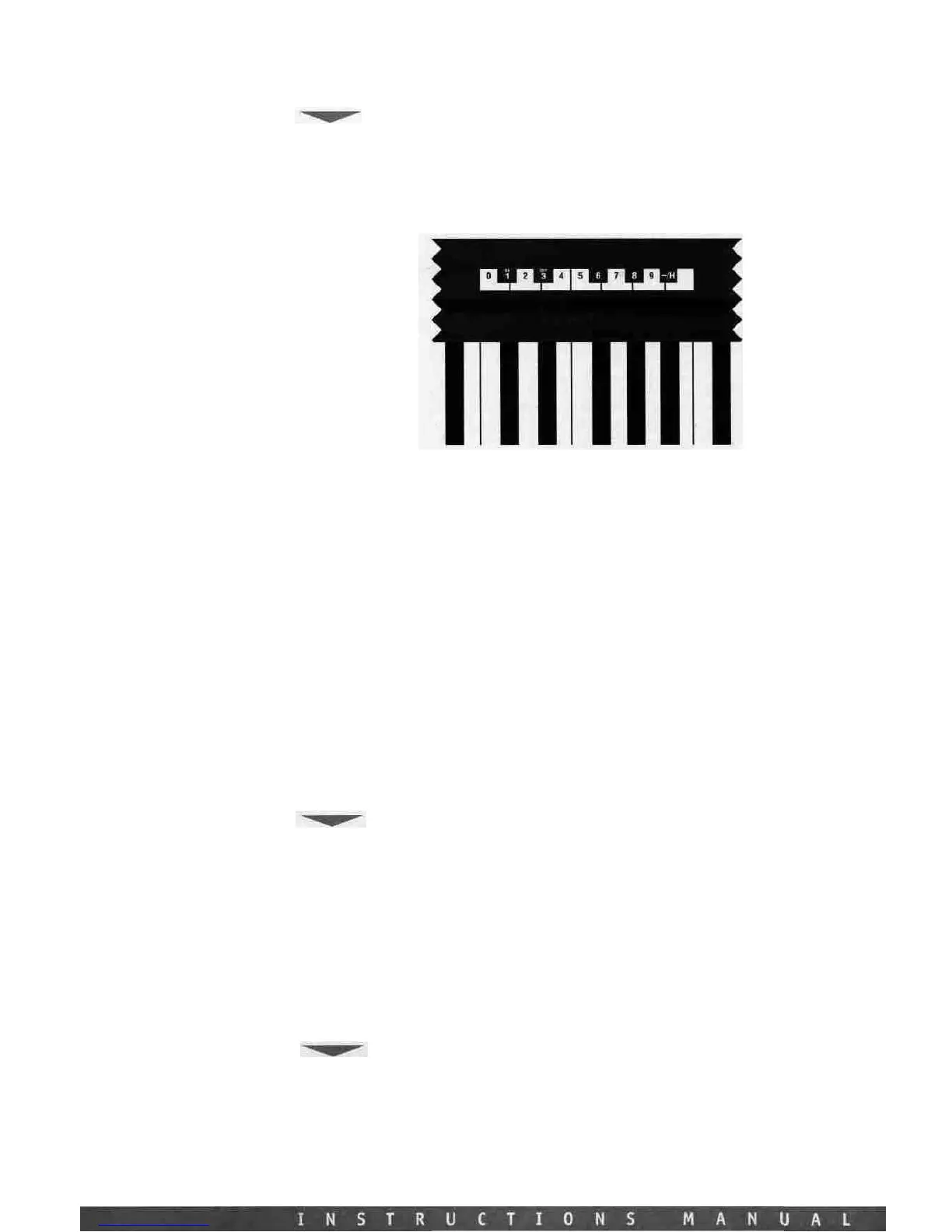
10 KEYPAD,
(H)
AND
(-),
(ON) AND (OFF):
As
you have most
likely
figured
out
by
this
point
the
Studio
Logic Master Controller
SL-161/SL-61
uses
the
keyboard
itself
in
EDIT
mode
as
the
10
KEY
KEYPAD
and data entry source.
The
keys
in the central octave, starting at the middle C, are assigned to specific functions for data entry
in EDIT mode and are clearly labeled as indicated in the diagram below. While you are in the
EDIT
mode
and using
the
numerical keypad
the
keyboard
itself
does
not
transmit
MIDI
notes
and performance information. You must exit the EDIT mode to play notes from the keyboard.
SECTION 5.
Programming
the
Studio
Logic
SL-161/SL-61
Master
Controller:
Creating musically useful Patches and how to do it.
Before we
get
into
some
programming examples and
tips,
the
following
information
is
about
the
design architecture and how
the
Studio
Logic
SL-161/SL-61
Master
Controller operates.
DEFAULT SETTINGS
When
your Master
Controller
is
switched
on
for
the
first
time
it
will
transmit
the
following
default settings: ^
ZONE
#1
ON,
Zones
#2,#3
OFF.
The
three
zones
are
set
to
transmit
on
MIDI
channels
1
through
3
respectively,
their
SPLIT
is set
to
the
full
extension
of
all
61
keys and
all
switchable commands are in the ON position.
All ZONES set to SHAPE #1, VELOCITY = 4, TRANSPOSE = 0.
VOLUME SETTINGS OF 127 if no VOLUME PEDAL is connected. If a VOLUME
PEDAL
is connected whatever
position
the
pedal
is
in
will
be
transmitted.
SUSTAIN OFF. (PEDAL is enabled but in the off position, CC 64 - 0)
PITCH BEND value = 0, MODULATION WHEEL value =0
GENERAL RESET
To reset the unit to the above factory settings:
Power up the keyboard while holding down all three UP-DOWN-ENTER buttons, hold for a few
seconds then release all three buttons, c














 To Next Page