VELOCITY
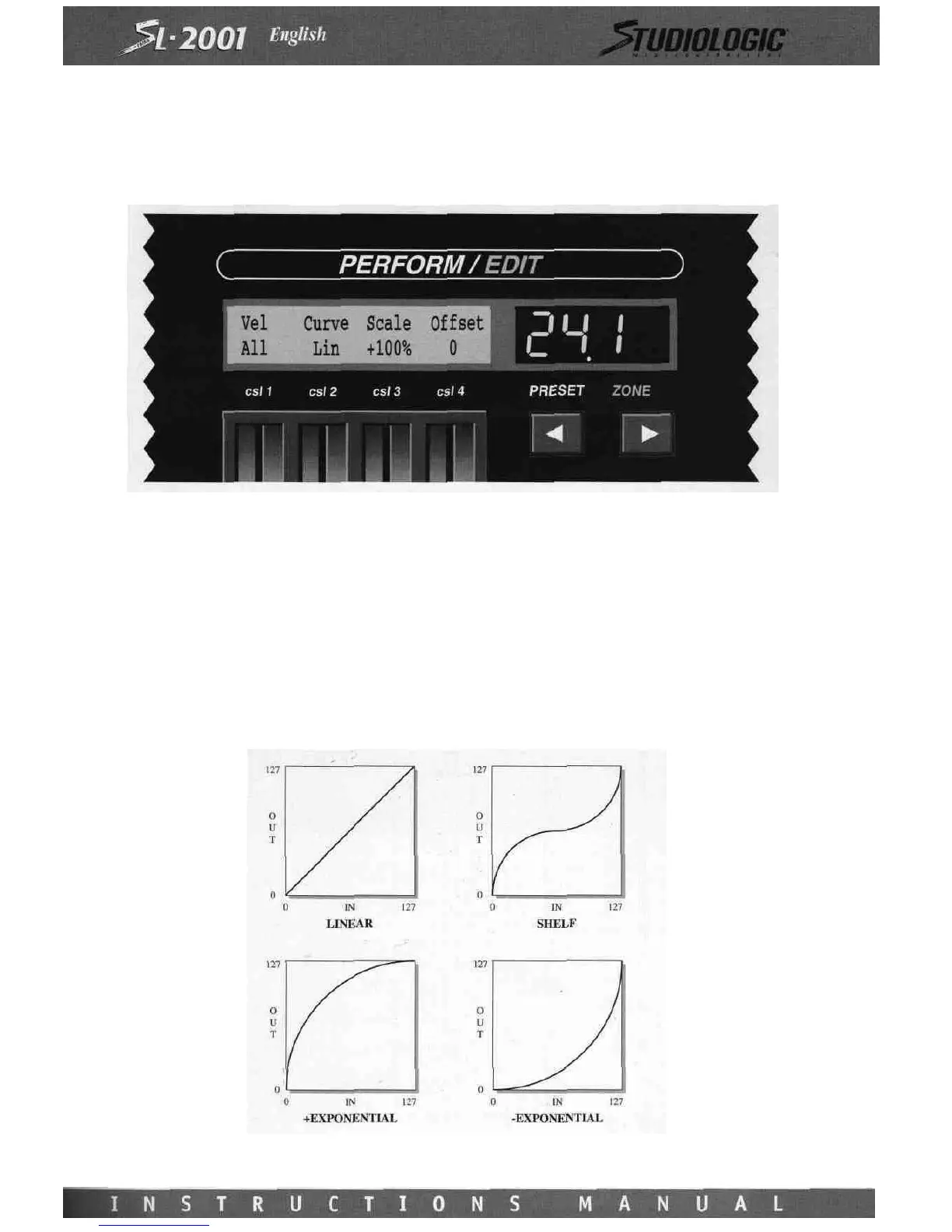
The Velocity edit screen contains all parameters related to the velocity value of a MIDI note message.
Control Slider 1 is used to set the Velocity-Switch function. This function filters out MIDI note messages based on their veloc-
ity value. When set to All, note messages will pass through the zone regardless of their velocity value. Other settings will
only pass note messages that are above or below a certain velocity value (the range of velocity values for a note-on message
is 1 to 127). The velocity-switch function can be set to pass only notes of velocity greater (or less than) l6,32,48,64,80,96,
or 112. Using the velocity-switch function on two zones simultaneously, the performer can switch between two different
sounds by varying the keyboard playing force. Several zones may be set for increasing switch values, which would allow
the performer to bring in up to eight separate sound layers as the keyboard is played more forcefully.
The Curve, Scale, and Offset parameters are used to modify the dynamic response of a velocity-sensitive sound module. This
has the effect of changing the "feel" of the MIDI control keyboard. The velocity values for note-on messages may be trans- .
lated via four different curves. This translation affects the dynamic response by modifying each velocity value before it is sent
to the sound module. The four curves available are Linear, Shelf, ^Exponential, and -Exponential.














 To Next Page