dealer or visit Sirius Satellite Radio at
www.sirius.com or call 1-888-539-SIRIUS
(7474) for more information. Sirius, the
Sirius dog logo, channel names and logos
are trademarks of SIRIUS Satellite Radio
Inc.
& Satellite radio reception
Satellite radio signals are best received in
areas with a clear view of the open sky. In
areas where there are tall buildings, trees,
tunnels or other structures that may
obstruct the signal of the satellites, there
may be signal interruptions. Other circum-
stances that may result in signal loss
include driving near a wall, steep cliff, hill
or driving on the lower level of a multi-
tiered road or inside of a parking garage.
To help reduce this condition, satellite
radio providers have installed ground-
based rep eaters in hea vily populated
areas. However, you may still experience
reception problems in some areas.
& Displaying satellite radio ID
of tuner
When you activate satellite radio, you
should have your satellite radio tuner ID
ready because each tuner is identified by
its unique satellite radio tuner ID.
The satellite radio ID will be needed when
you activate satellite radio and receive
satellite radio customer support.
The satellite radio ID can be found on the
audio display by tuning the channel to
“000”.
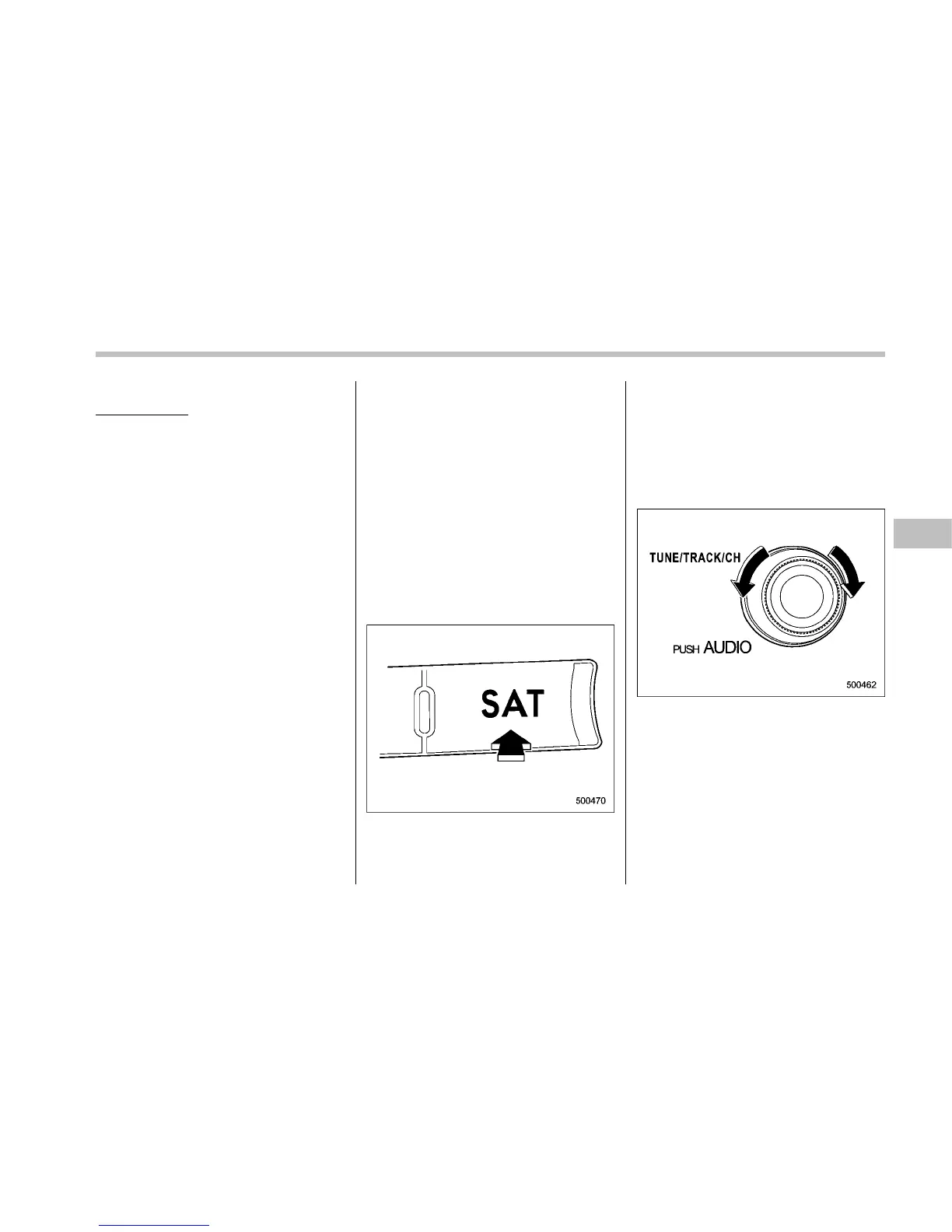
Turn the “TUNE/TRACK/CH” dial to select
the satellite radio channel.
NOTE
For Sirius, change the display to an
indication mode other than the channel
number after performing the above
operation.
& Band selection
Press the “SAT” button when the radio is
off to turn on the radio.
Press the “SAT” button when the radio is
on to select SAT1, SAT2 or SAT3 recep-
tion.
& Channel and category selec-
tion
! Channel selection by operating the
dial
Turn the “TUNE/TRACK/CH” dial clock-
wise to select the next channel and turn
the “TUNE/TRACK/CH” dial counterclock-
wise to select the previous channel.
Audio 5-15
– CONTINUED –










 To Next Page