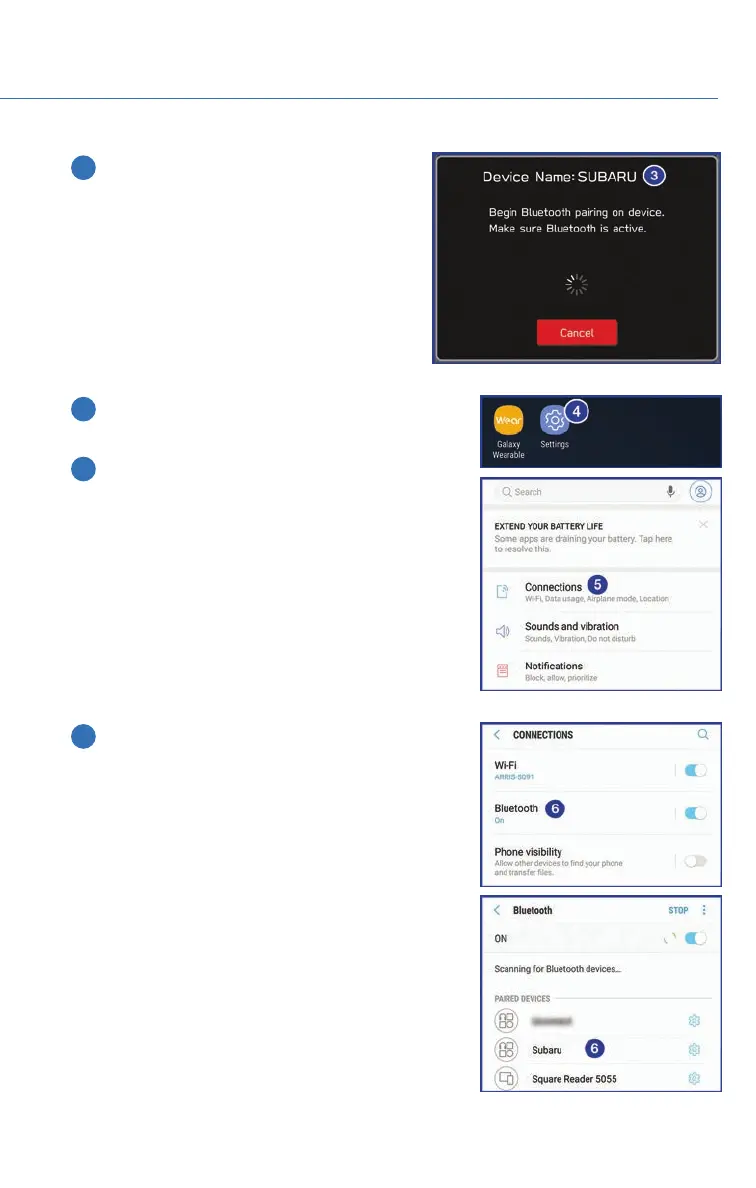
3 The screen to the right will be displayed
when pairing mode is in progress. The
device name will most likely be Subaru,
but be sure to make note of what name it
is so you can find it on your phone.
4 On your Android device, go to “Settings” (it can
be found under apps).
5 Next select “Connected Devices” or
“Connections”.
6 Now select “Bluetooth”. This will show a screen
to “Pair New Device” or it will be showing the
nearby devices to add. Select “Subaru”, if shown
on the list, or “Pair New Device”.
APPENDIX: HOW TO
111














 To Next Page