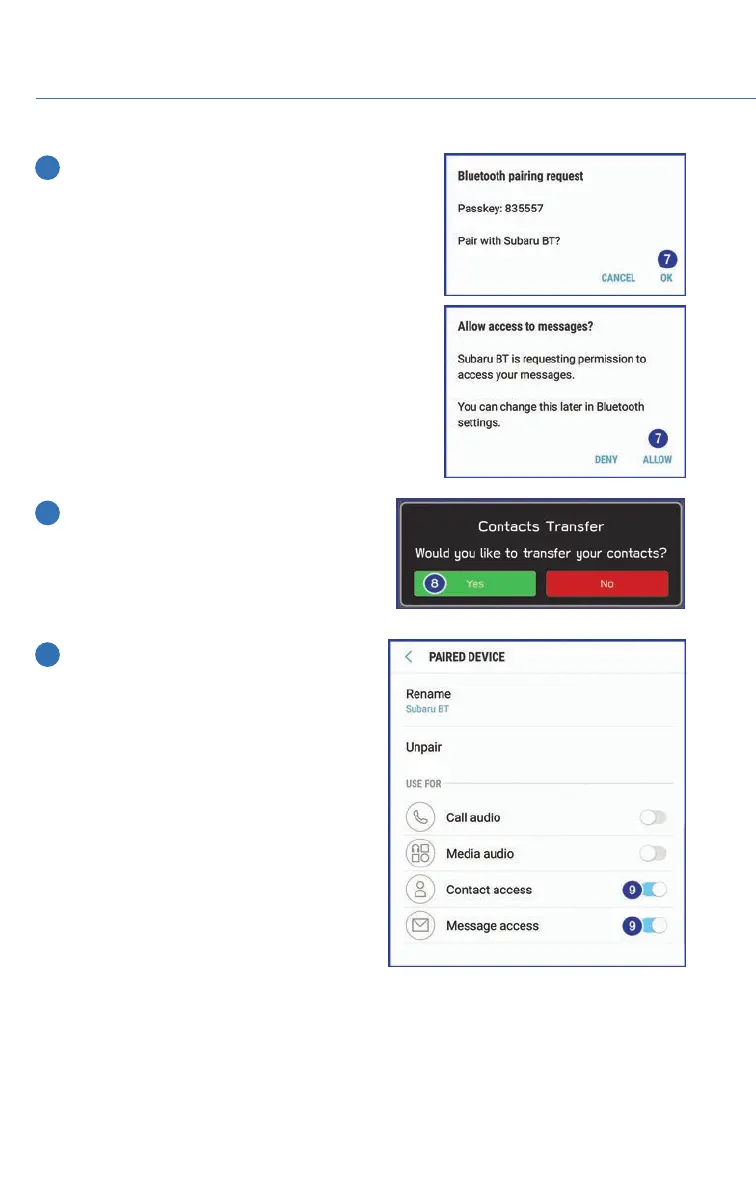
7 Now select “Pair”. Make sure to select “Yes” to
the “Message Access Request” popup box to
allow access to your contacts and call history.
8 Next, on the Touchscreen, select
“Confirm” if the PIN matches the phone.
Then select “Download” to download the
phonebook contacts.
9 If you cannot access your phonebook or
messages, go back to your phone’s
Bluetooth
®
settings and select the gear
icon next to your vehicle’s device name
and ensure all settings are enabled.
APPENDIX: HOW TO
112














 To Next Page