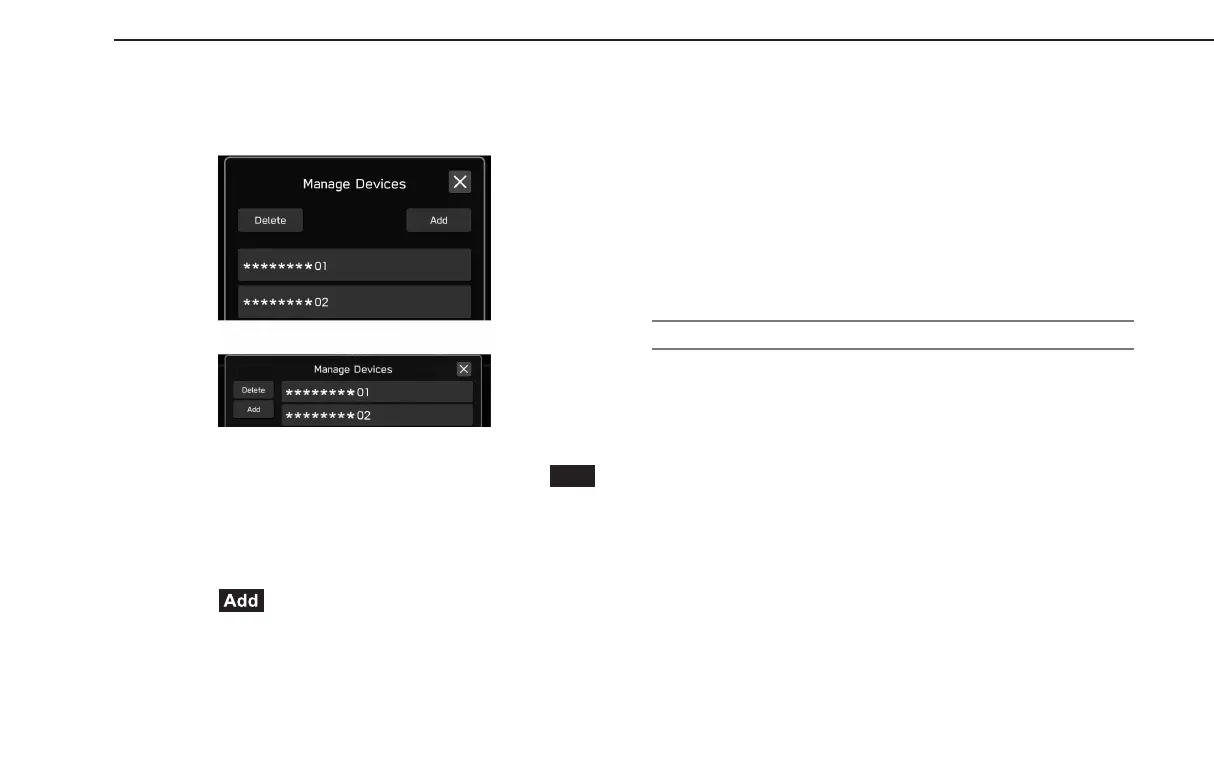
3.
Select the Bluetooth phone/device to be connected or
disconnected.
X11.6-inch display syst
em/11.6-inch display with Navi
system
XDual 7.0-inch display system
● To disconnec
t the Bluetooth phone/device, select
(Yes).
● “Connected” is displayed next to the currently connected
Bluetooth phone/device.
● If the desired Bluetooth phone/device is not on the list,
select
(Add) to register the Bluetooth phone/
device. (→P.78)
4.
Check that “Connected” is displayed next to the Bluetooth
phone/device when the connection is complete.
● If an err
or message appears, follow the guidance on the
screen to try again.
l It may take time if the Bluetooth phone/device connection is carried
out during Bluetooth audio playback.
l Depending on the type of Bluet
ooth phone/device being connected,
it may be necessary to perform additional steps on the Bluetooth
phone/device.
AUTO CONNECTION MODE
Leave the Bluetooth phone/device in a location where the
connection can be established.
● When the ignition switch is turned to the “ACC” or “ON”
position, the system searches for a nearby registered
Bluetooth phone/device.
● The system will connect with the registered Bluetooth
phone/device that was last connected, if it is nearby.
80
GB8_US.indb 80 2020/10/09 7:22:31














 To Next Page