5 Installation Procedure
14
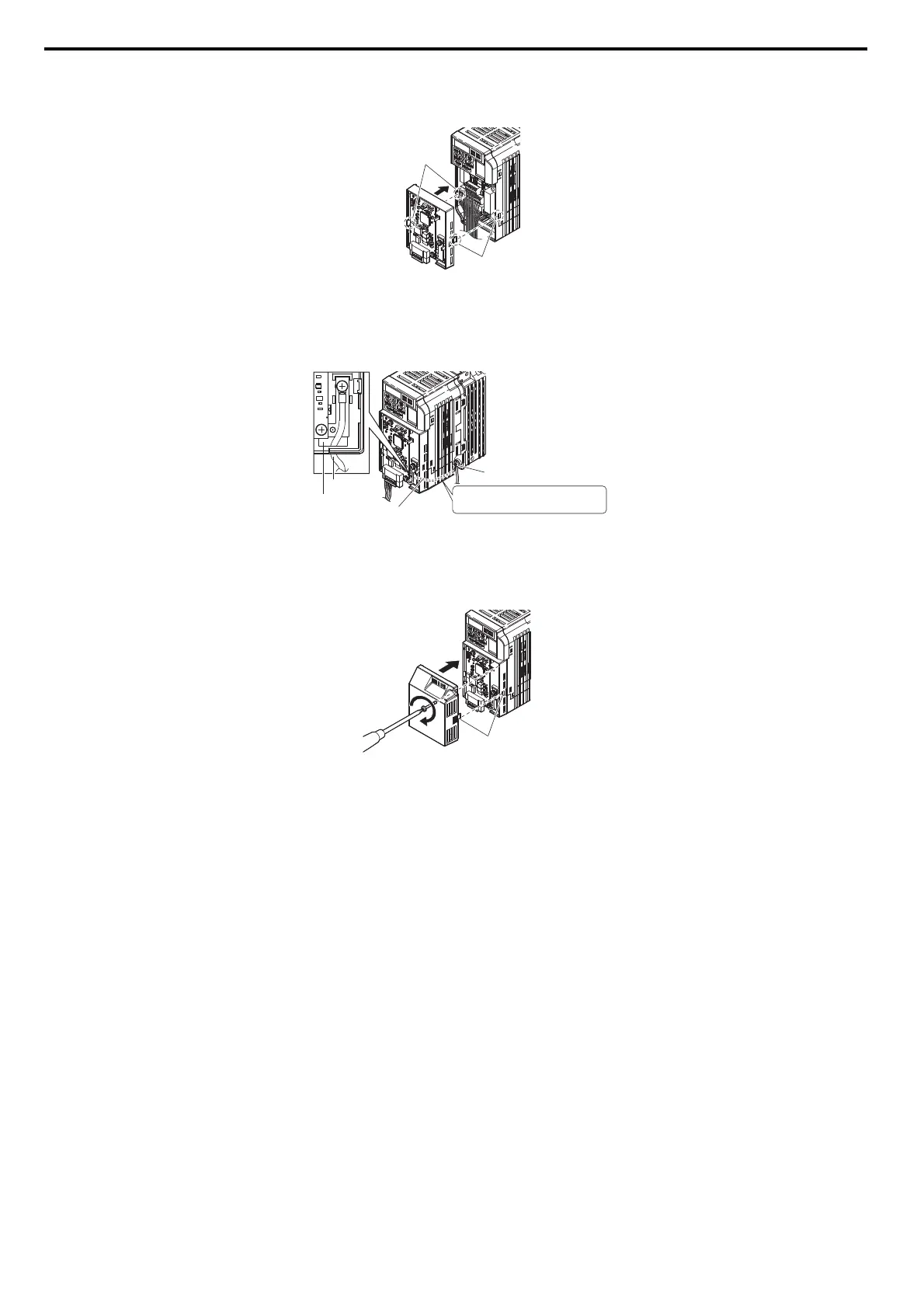
5. Connect the CC-Link Option to the drive.
Properly secure the tabs on the left and right sides of the CC-Link Option to the drive case.
Figure 9
Figure 9 Attach CC-Link Option
6. Connect the ground cable from the drive ground terminal to the CC-Link Option ground.
When wiring the CC-Link Option, pass the ground cable through the inside of the drive bottom cover, then pass the ground cable into the
through-hole at the front of the CC-Link Option.
Figure 10
Figure 10 Ground Cable Connection
7. Connect the communications cable to the terminal block. Refer to Procedure on page 15.
8. Attach the CC-Link Option cover to the front of the CC-Link Option.
Figure 11
Figure 11 Attach Cover
tabs should line up
tabs should line up
ground
cable
drive ground terminal
Pass the ground cable through
the bottom cover of the drive.
through-hole
for ground cable
ground cable
tabs should line up



 To Next Page