The information contained in this document is confidential, and only for the information of the intended recipient and may not be published or redistributed without the prior written consent of Summa NV.
Summa nv Tel +32 59 27 00 11 Fax +32 59 27 00 63 Email support@summa.eu Website www.summa.eu Page 6 of 6
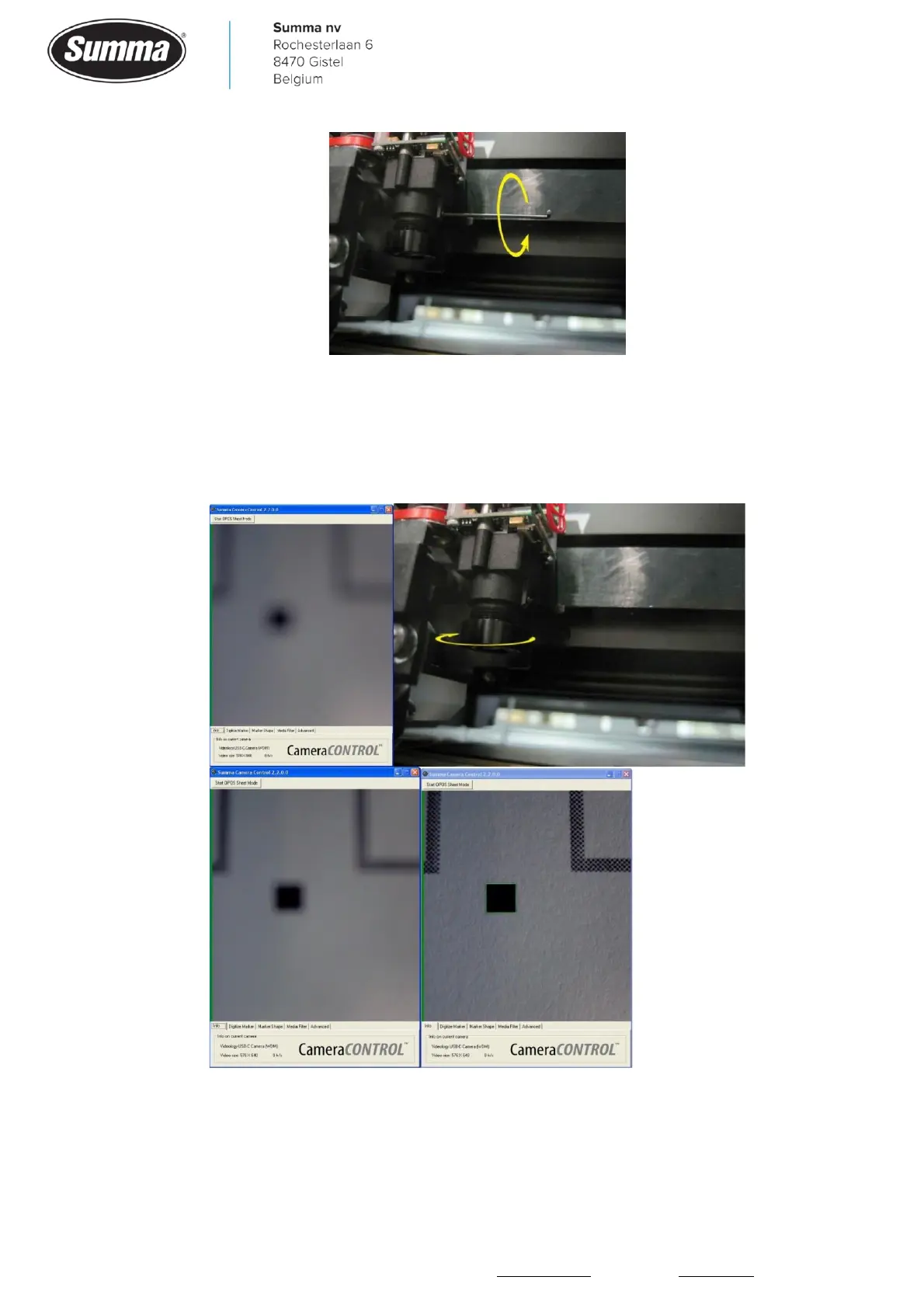
To focus the camera, put it above a mark. Do not use the standard test image but use
something that has more or less the same thickness as the material usually used. It is
recommended to use the first marker of the first job to focus the camera.
Rotate the lens to sharpen the image.
Tighten the setscrew to secure the lens position. Replace the head cover.
Revised February 21, 2022



 To Previous Page