29
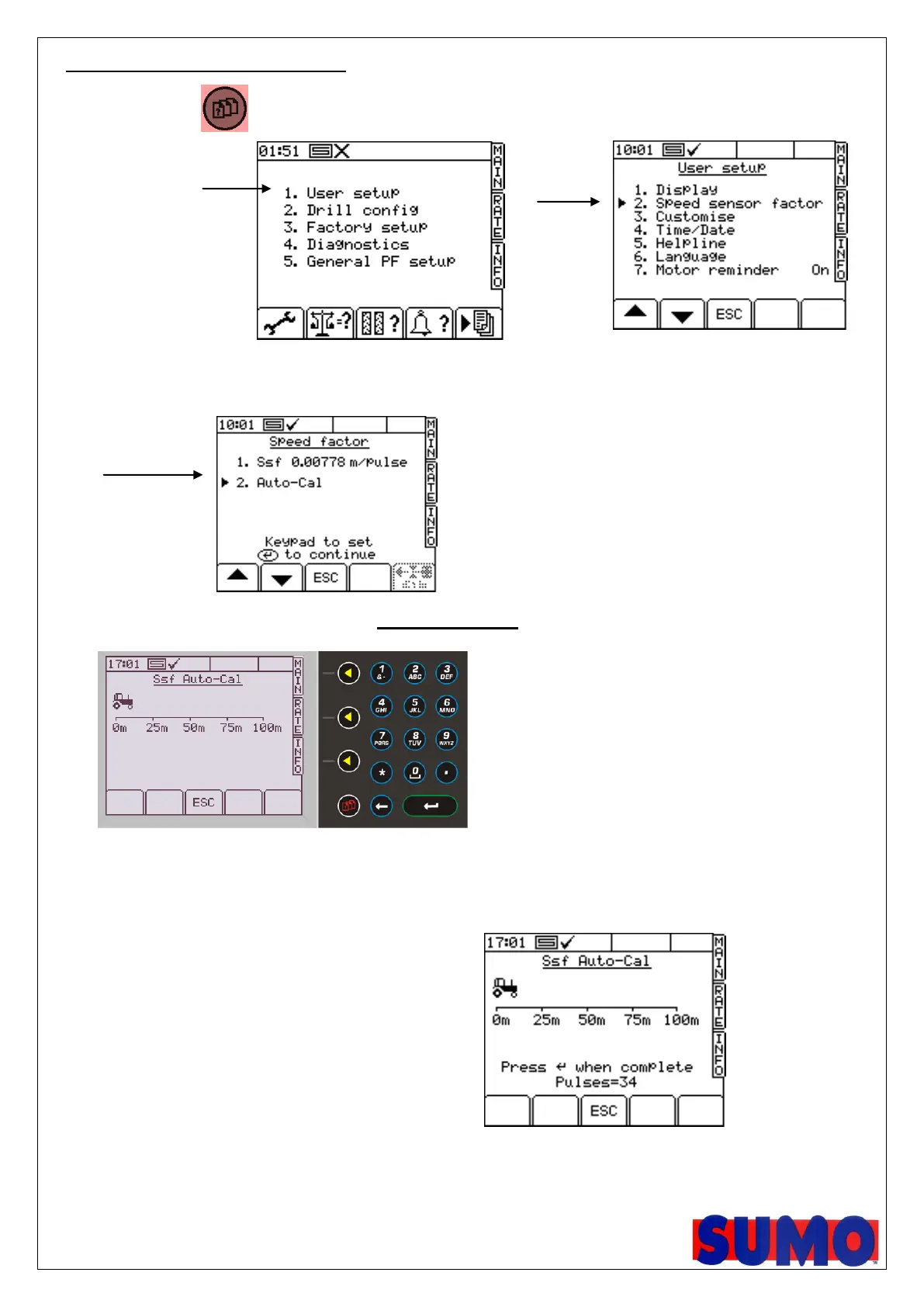
2.11 Speed auto call routine,
1, Press red button
2, Press “1” user setup
3, Press “2” speed
sensor factor
4, Go down to option 2 and press enter.
N.B. At this point, you can manually edit option 1, the SSF as displayed.
5, When you are ready, with the machine in work, in a field, press enter to start.
6, Drive at any speed exactly 100m and stop
7, Once stopped, press enter to complete process
When complete save the new factor.
Don’t forget that 0.0076 is the default setting



 To Next Page