33
3.0 GPS Configuration
Hardware/software set up Procedure to receive a GPS speed signal and variable seed rate signal
Outline procedure:
1, Port set up
2, Baud rate (match GPS device to the RDS box)
3, Select the speed sensor option.
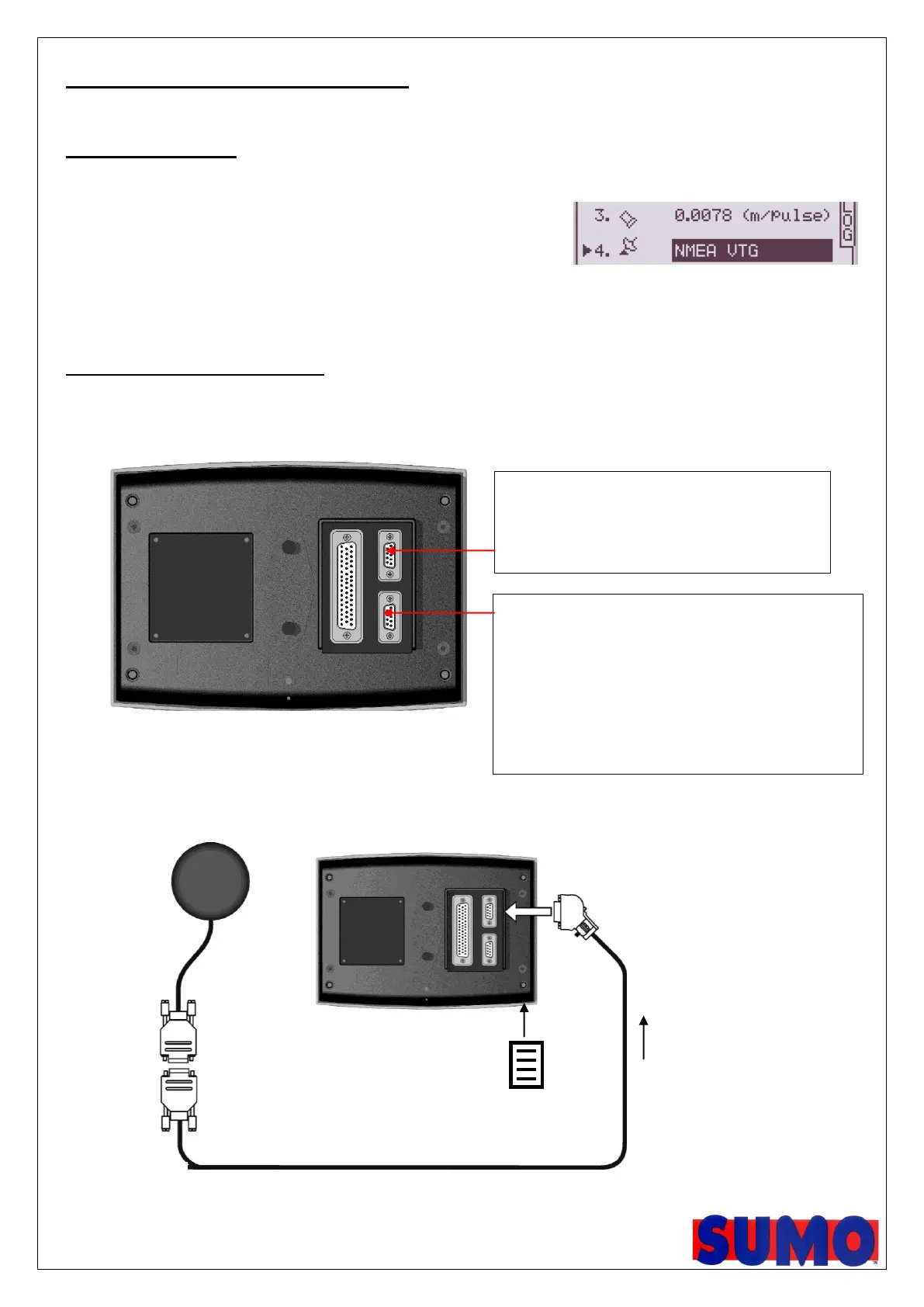
To use GPS, choose NMEA VTG, option 4
To use the radar, choose option 3
4, Load Variable rate maps from the log page
3.1 Port cable configuration
Figure 1: Port connections
Figure 2: Typical Setup – Psi sending rate instructions via SD card
Bottom Port options [see note 1]
Receiving VRT instructions from OEM controller
e.g. Fieldstar Type 1
Soyl Opti
Agrocom ACT
Yara-N Sensor
receiving VRT instructions from SD card
e.g. RDS PF MODULE
Top Port options
GPS – e.g. GPS 16 or any compatible receiver



 To Next Page