44
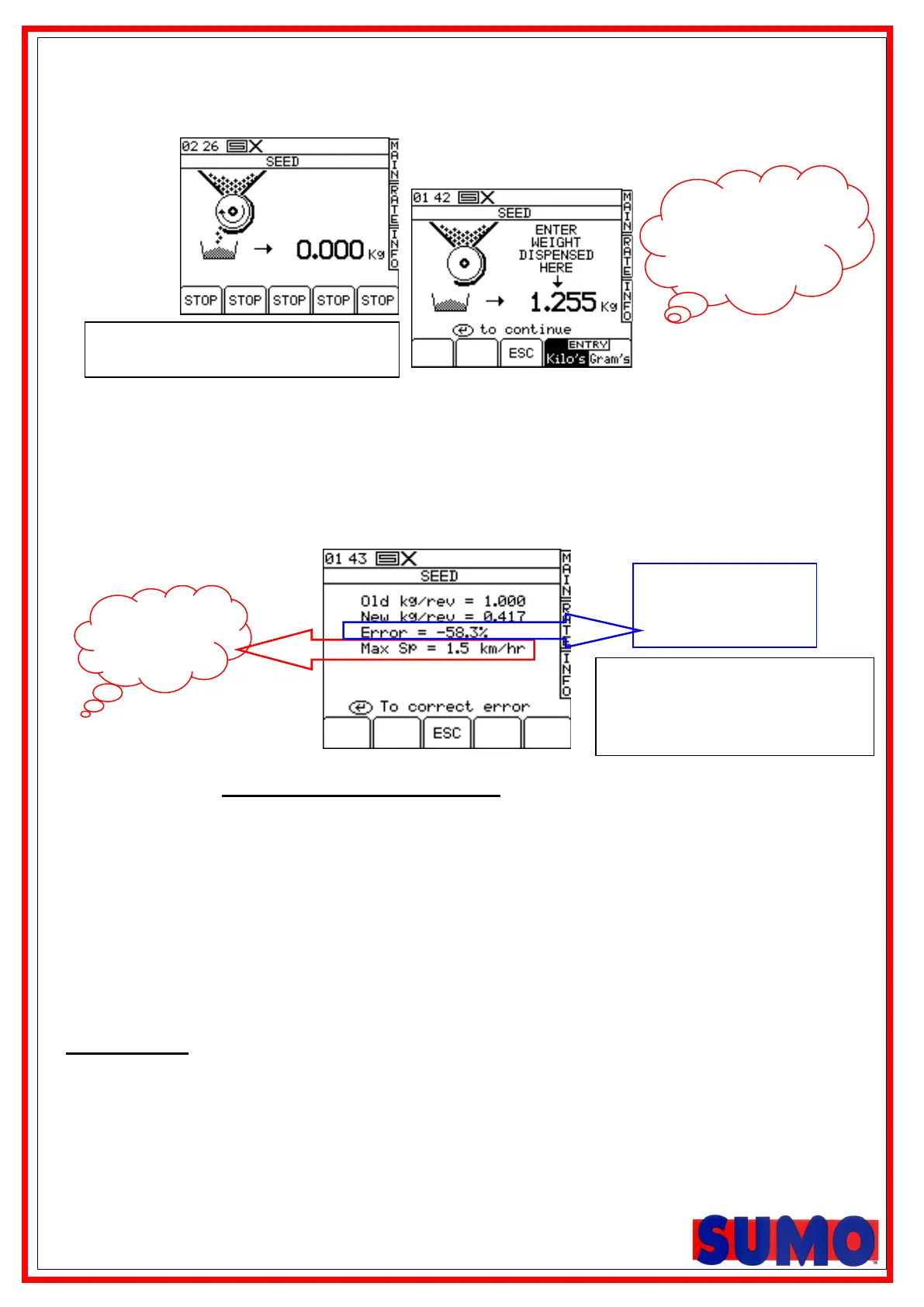
8. After the motor has been stopped with the white button the screen will show the expected weight.
Then enter the ACTUAL weight dispensed using the keypad (fig. 14) and press ENTER to confirm.
NOTE: The heading will either be SEED / FERT / LEFT / RIGHT according depending on the drill setup
9. Press ENTER again for the instrument to re-calculate and display the new calibration
factor in kg/rev, the error %, and the maximum forward speed that is permissible based on
the application rate set for the product (fig.15).
Figure 15
10. Press ENTER again to confirm and store the new calibration factor, or press ESC to
return to the SETUP menu screen.
11. This entire procedure should be repeated as many times as necessary until there is an
acceptable error. (2 – 3 times is normally sufficient)
It is recommended to reset the PART TOTAL to zero before commencing drilling. This will
enable you after drilling an area, to quantify any error in the calibration factor by logging the
theoretical amount of product used against a known amount used (a whole bag for example).
Roller selection
Before any calibration test is performed an appropriate roller must be selected. This selection should be
based on the required seed rate, working width of the drill as well as driving speed.
To ensure successful drilling, be sure to take into account the specific weight of the type of seed.
Fig 13 shows what the screen will
look like when the motor is turning
Umm, very
low. Is the
right
metering
roller
fitted??,
% difference
between the old and
new calibration
Check decimal
place and units.
Could cause
embarrassing!!
mistakes!!
metering roller
fitted??,
When changing between seed
rollers the error % will be large,
but a second attempt will reduce
this.



 To Next Page