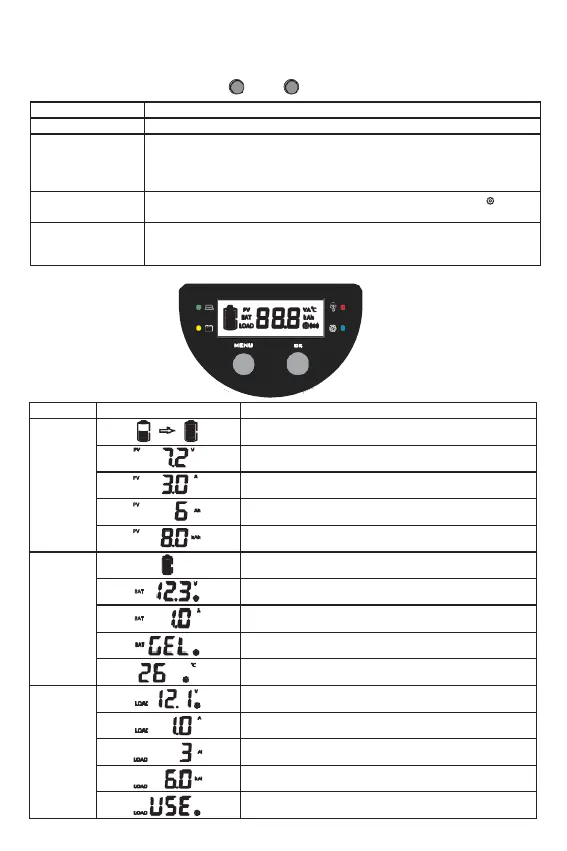
6.2 Key functions
MENU OK
Press the MENU and OK key at the same time for 1s, the LCD screen
will lock the interface.
Press the MENU and OK key again for 1s, the LCD interface will unlock
and start scrolling.
Press the MENU key for 1s to enter the setting mode when the icon appears
on the display and exit automatically after 30s or press the MENU.
When the controller is working in street lamp mode, press the MENU
key for 3s to turn on the load, press the MENU key again or 1min later
the load will be turned off.
6.3 LCD Display
6.3.1 Status Description
The total charge amp hours
Battery
voltage (Programmable
LVD)
Battery type (Programmable)
Temperature (Can clear Bluetooth Device Password)
Load voltage (Programmable LVR)
The total discharge ampere hours
/
PV
array charge amp hours and load amp hours are cleared after power failure。


 To Next Page