2. Street Lamp Function
When the load is set to Dusk to Dawn or Evening mode, the Day/Night threshold voltage and the
Day/Night delay time can be set using the Bluetooth APP, and the load can be turned on or off by the test
function during the day charging process.
2.1 Day/Night threshold voltage
The controller recognizes day and night based on the solar array open circuit voltage.
This day/night threshold voltage can be modified according to local light conditions and the solar array
used.
Day/Night threshold setting range: 3.0~10.0/6.0~20.0/9.0~30.0/12.0~40.0V (Default: 8/16/24/32V)
2.2 Day/Night delay time
In the evening, when the solar array open circuit voltage reaches the setting day/night detect voltage, you
can adjust the day/night delay time to make the load turn on a little bit later.
Day/Night delay time setting range: 0~30min (Default: 0min)
2.3 Test Function
When the controller is working in Dusk to Dawn or Evening mode, press the MENU key for 3s to turn on
the load. Press the MENU key again or the load turns off automatically after 1 minute.
If the controller is operating in always on mode, the test function does not work.
3. User-defined Mode
①If the load mode is selected "USE", then you can switch on and off the load output manually by pressing
MENU shortly.
②The default switching state of the load in manual mode can be changed using the Bluetooth APP. At the
same time, the output to the load can be turned on or off.
1. If the controller turns off the load due to low voltage protection、overcurrent
protection、short-circuit protection or over temperature protection. The load will turn
on automatically when the controller recovers from protection state.
2. Please note: Pushing the MENU button can still activate the function of the key, even
during any of the above four protection states.
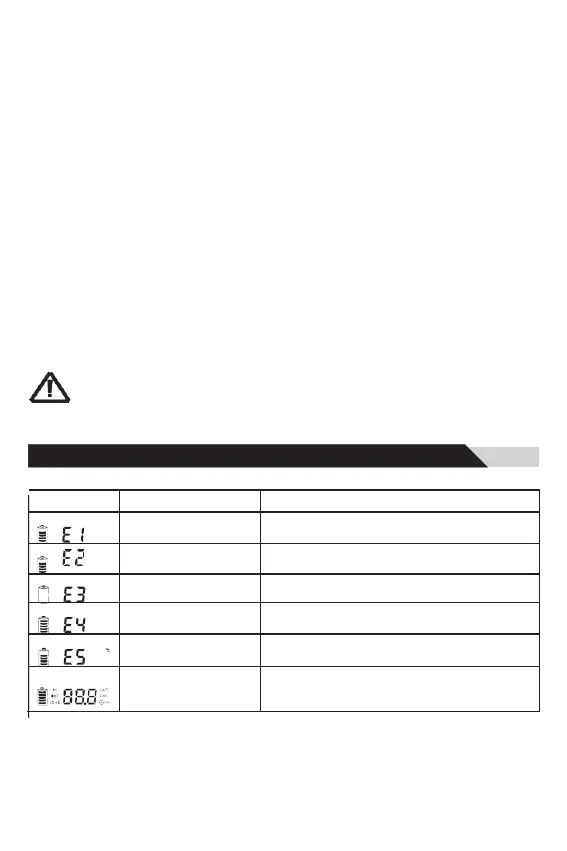
7.1 Trouble shooting


 To Next Page