Page 66
780 Series
F. Connecting Your Bluetooth Device:
1. Turn power ON to the stereo unit.
2. From your Bluetooth device, make sure the Bluetooth setting is ON.
3. Follow the pairing instructions for your Bluetooth device and connect
to the “BLUEWAVE” device that appears on your screen.
4. If asked for a password, enter the code “0000.”
5. The remote LCD screen will display, “BT AUDIO” if the process was
successful.
G. Operating Your Bluetooth Device:
1. Press the seek up or down buttons to scroll through the tracks (on
the remote).
2. Press the volume up or down buttons to adjust volume level between
0 to 30 (on the remote).
3. Any other playback operations are conducted via the Bluetooth
device.
CAUTION
: RISK OF ELECTRICAL SHOCK OR
EQUIPMENT DAMAGE!
Never install, remove or operate any electrical device (e.g.
Apple device/MP3/USB/AUX/Bluetooth) while hands are wet
or while sitting partially or fully immersed in the spa!
17.5 Wireless Remote Battery Replacement Procedure
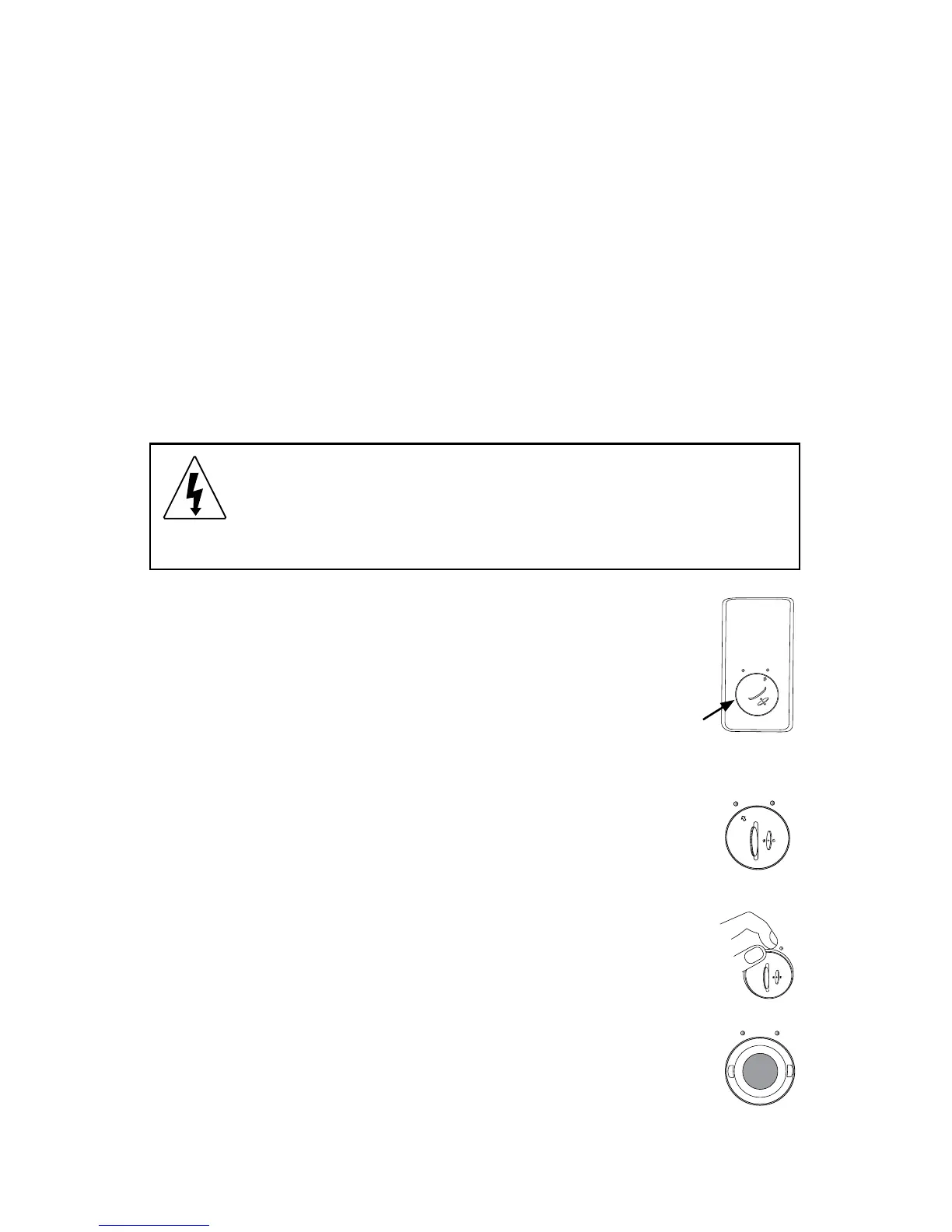
1. Turn the remote unit over and locate the battery door
(Figure A).
2. Rotate the battery door, with a coin, counterclockwise to
the Open position (Figure B). When the door is unlocked it
will pop up slightly.
3. Remove battery door by lifting the door upward (Figure C).
4. Replace battery using an equivalent battery (Figure D).
OPEN
CLOSED
Fig. A
Battery
Door




 To Next Page