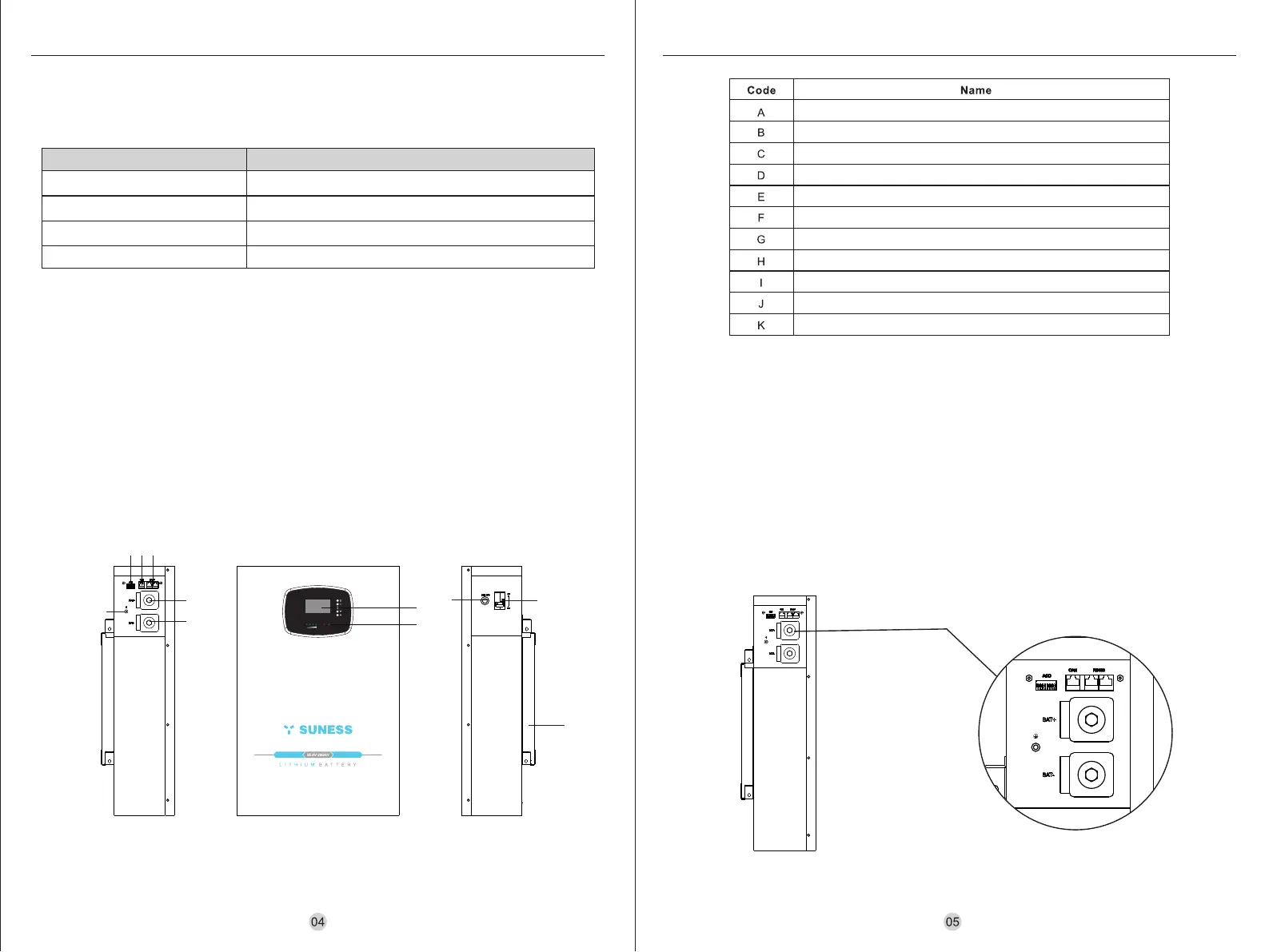
Power Breaker
LCD Display
ADD
CAN Communication
RS485 Communication
BAT-
BAT+
Power Switch
GND
Wall mount
LED Display
LiFePO4 Battery System LiFePO4 Battery System
Turn on: Turn the power circuit breaker to ON position and turn on the power button, the LCD can display the
battery pack data, while the battery pack is waiting for charging and discharging mode.
Turn off: Turn the power circuit breaker to OFF position and turn off the power button, wait for a period of time
for the LCD to turn off, while the battery pack enters the shutdown mode.
7.3 Turn on / off
7.4 Description for communication port
Lithium battery pack is different from lead-acid battery, so for the devices which you connect with the battery pack
for charging or discharging, such as inverters, MPPT charge controllers or UPS, please implement pre-settings as
recommended settings as below before you launched them.
Recommended Settings
Setting Recommendations
Max. Charging Voltage
Floating charging Voltage
Max. Charging & Discharging Current
Cut-off voltage
Notes: “N” means the amount of battery packs connected in parallel.
7.2 Electrical interface description of EV-5.12M
7. ELECTRICAL CONNECTIONS
7.1 Battery system features
The batteries have been fitted with multiple protection systems to ensure the safe operation of the system.
Some of the protection system includes:
• Inverter interface protection: Over voltage, Over current, External Short Circuit, Reverse Polarity, Ground
Fault, Over Temp, surge current.
• Battery Protection: Internal Short Circuit, Over voltage, over current, over temp, Under voltage The battery
system contains the following Interface to allow it connected and operated efficiently.
EV-5.12M
28.8V
28.8V
80A* N
24V
External communication
CAN Communication: The battery pack can communicate with the inverter via CAN, baud rate: 500K.
RS485 Communication: The battery pack can communicate with the host computer via RS485 for data
communication, baudrate:9600.
RUNALM
SOC
B
A
C
D
E
F
G
H
J
I
K



 To Next Page
 Loading...