Need help?
Do you have a question about the Sunfire TGP-5(E) and is the answer not in the manual?
Essential guidelines for safe operation and handling of the apparatus to prevent hazards.
Cautionary advice regarding the safe movement and stability of the component when placed on a cart.
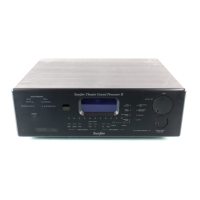
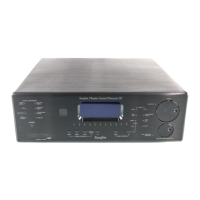
Highlights of the TGP-5's technical capabilities and functionalities.
Details on the capabilities and programmability of the included remote control.
Description of the unit's power button and standby mode functionality.
Information on the front panel display's indicators and what they show.
Explanation of the control used to select audio/video sources manually.
Details on buttons for selecting sound playback modes and zone control.
Connections for composite video, S-video, and stereo analog audio sources.
Outputs for video to TV monitor and audio for recording or TV speakers.
Inputs and outputs for high-quality component video signals.
Ports for custom installations using remote control IR equipment.
12 VDC trigger outputs and relay contacts for custom system control.
Interface for software upgrades and external computer control.
Line-level balanced audio outputs for connecting to amplifiers.
Connectors for AM loop and FM dipole antennas.
Connection point for grounding wire, typically for turntables.
Connections for turntables, DAT, tape players, and analog record outputs.
Eight-channel analog audio input for external surround processors or multi-channel sources.
Fixed line-level outputs for recording or feeding another audio system.
Connections for digital audio sources and S/PDIF output for recording.
Optional front side channels to complement surround sound.
Network port, HDMI connections, AC power input, and power switch.
Typical connection diagram for analog audio and composite video sources.
Procedure for entering 3-digit codes to recall commands for system components.
Method for entering favorite TV and radio stations for quick recall.
Setting volume, channel, and transport buttons to work across devices.
Function to erase stored IR commands without affecting labels.
Options to disable or adjust the duration of the remote's backlight.
Process for teaching the remote commands from other remote controls.
Setting up buttons to transmit sequences of commands for automation.
Quickly viewing assigned 3-digit codes for each device.
Mode for changing device labels and button labels in the display.
Feature to copy commands and labels from one Sunfire remote to another.
How to activate the On Screen Display using the remote control's MENU button.
Using the joystick and buttons to move through OSD menus.
Adjusting individual speaker volume levels on-the-fly.
Adjusting the settings for various surround sound modes.
Adjusting Bass and Treble levels for audio output.
Configuring settings for each input source.
Adjusting system settings for Main Zone, Zone 2, Speakers, Video, Software, and Control.
Adjusting Dolby Digital settings like Dynamic Range and Pro Logic modes.
Configuring DTS settings including LFE and Neo:6 modes.
Mode for playing stereo sources through multiple speakers for parties.
DSP mode simulating ambience and rear reflections for a specific sound effect.
Settings for the DVD input, including gain, default mode, video type, and triggers.
Configuration for the 8-channel input, including gain and video lock.
Setting AM/FM stations and frequencies for quick recall.
Step-by-step guide for setting tuner presets using the OSD.
Settings for enabling, disabling, and adjusting Zone 2 operation.
Configuration of power-up source, volume modes, and maximum volume for the main zone.
Settings for OSD pop-ups, video interlacing, and output configuration.
Information on current software revision levels and upgrade procedures.
Options to enable/disable RS-232, digital control, and IR receivers.
Setting speaker size for bass management and frequency range assignment.
Enabling or disabling side-axis speakers and their size setting.
Option to disable surround speakers if they are not present.
Option to redirect center channel information to front speakers.
Option to disable surround back speakers if they are not present.
Enabling the subwoofer for LFE signals and bass from small speakers.
Entering speaker distances from the listening position for automatic delay adjustment.
Procedure to adjust speaker volume levels for equal output at the listening position.
Setting the subwoofer output to Normal or Enhanced Bass mode.
Setting speaker crossover points for bass management system.
Explanation of how the TGP-5 redirects bass to the subwoofer for improved performance.
Details on the TGP-5's digital video processing for upconversion and switching.
Description of the conventional two-channel stereo mode.
Modes to enjoy Dolby Digital benefits from stereo sources.
Mode for playing stereo sources through multiple speakers for parties.
DSP mode simulating ambience and rear reflections.
Modes to expand stereo sources into six channels.
Mode that bypasses DSP, Tone, and bass management circuits.
Mode for automatically detecting and playing Dolby Digital encoded sources.
Mode for playback of Dolby Digital Surround EX soundtracks.
Changing modes during Dolby Digital playback to Pro Logic IIx Music/Movie.
Mode for automatically detecting and playing DTS encoded sources.
Mode for sources with surround back channels, either discrete or matrixed.
Instructions on how to quickly recall a saved radio station.
How to scan through and select saved tuner presets.
Step-by-step guide for saving current tuner stations as presets.
Procedure for recording audio signals to a tape player.
Procedure for recording video and audio signals to a VCR.
Steps to enable and turn on Zone 2 using the remote or front panel.
Recommendations for positioning front left and right speakers for optimal sound.
Guidelines for positioning the center speaker for clear dialog.
Advice on positioning surround and surround back speakers for immersive audio.
Method for finding the optimal placement for a single subwoofer in a room.
Steps to upgrade the TGP-5 software via a PC connection.
Information on controlling the TGP-5 externally via Home Theater controllers.
Troubleshooting steps for issues related to sound from speakers or subwoofer.
Resolving problems with radio tuning, signal strength, and automatic source selection.
Troubleshooting steps for problems with TV picture, OSD, or display flickering.
Resolving problems with tone controls, digital playback, remote functions, and Zone 2 operation.
List of remote control codes for various audio equipment brands.
List of remote control codes for cable box operation.
List of remote control codes for CD player operation.
List of remote control codes for DVD player operation.
List of remote control codes for LaserDisc players compatible with DVD.
List of remote control codes for satellite and DSS receiver operation.
Contact information and procedure for obtaining warranty or repair service.
 General
| Brand | Sunfire |
|---|---|
| Model | TGP-5(E) |
| Category | Recording Equipment |
| Language | English |

 To Next Page