SunFounder GalaxyRVR Kit for Arduino, Release 1.0
get stuck and even damage itself! We don’t want that to happen, do we? So, let’s understand its movement limitations
with a little experiment.
We use a for loop to rotate the servo from 0 to 180 degrees while keeping a note of the angle in the Serial Monitor.
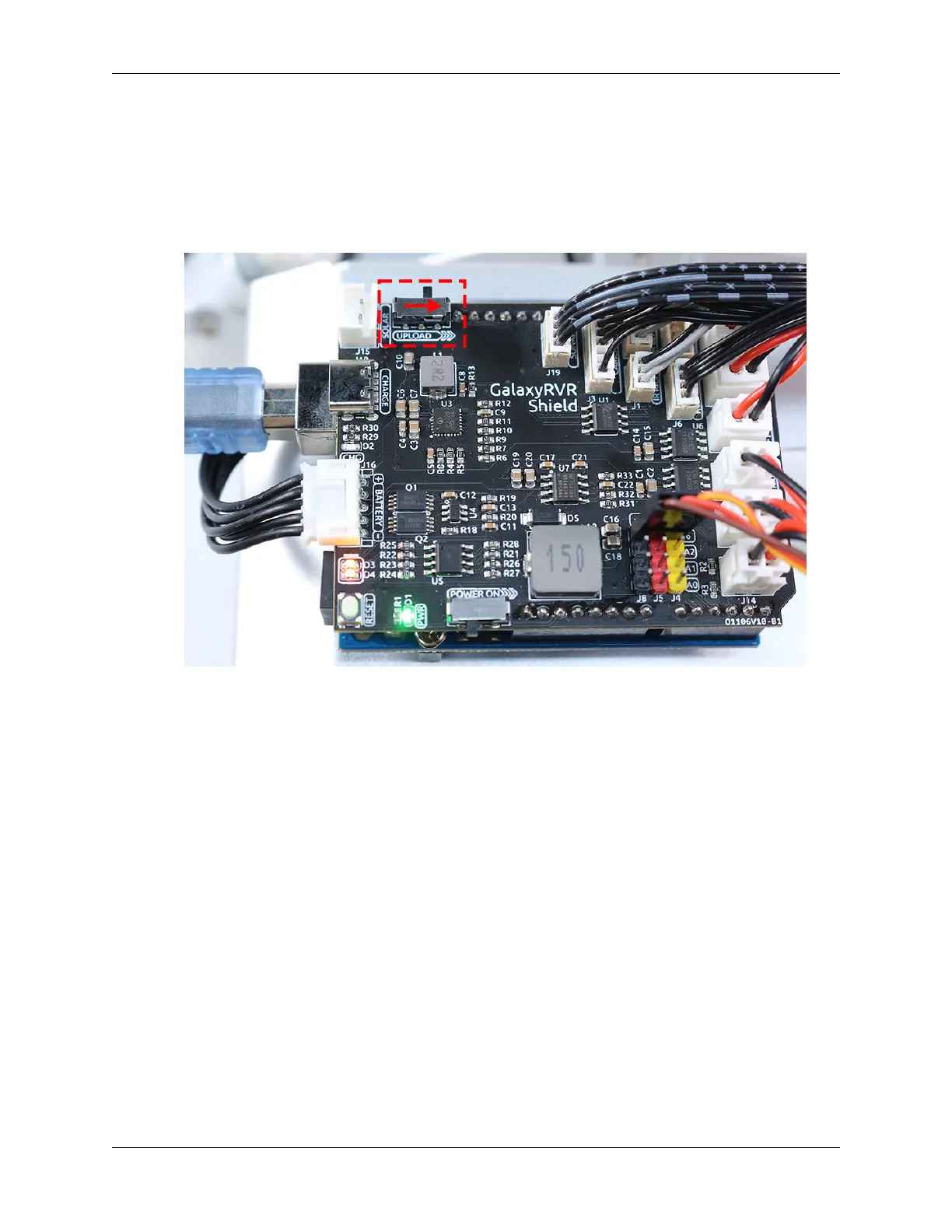
• The ESP32-CAM and the Arduino board share the same RX (receive) and TX (transmit) pins. So, before upload-
ing the code, you’ll need to first release the ESP32-CAM by slide this switch to right side to avoid any conflicts
or potential issues.
• After we upload this code, open the Serial Monitor. If no information appears, press the Reset button on the
GalaxyRVR shield to run the code again.
• You will see the servo rotate, and the Serial Monitor will display the angle.
80 Chapter 3. Course Mode



 To Next Page