SunFounder GalaxyRVR Kit for Arduino, Release 1.0
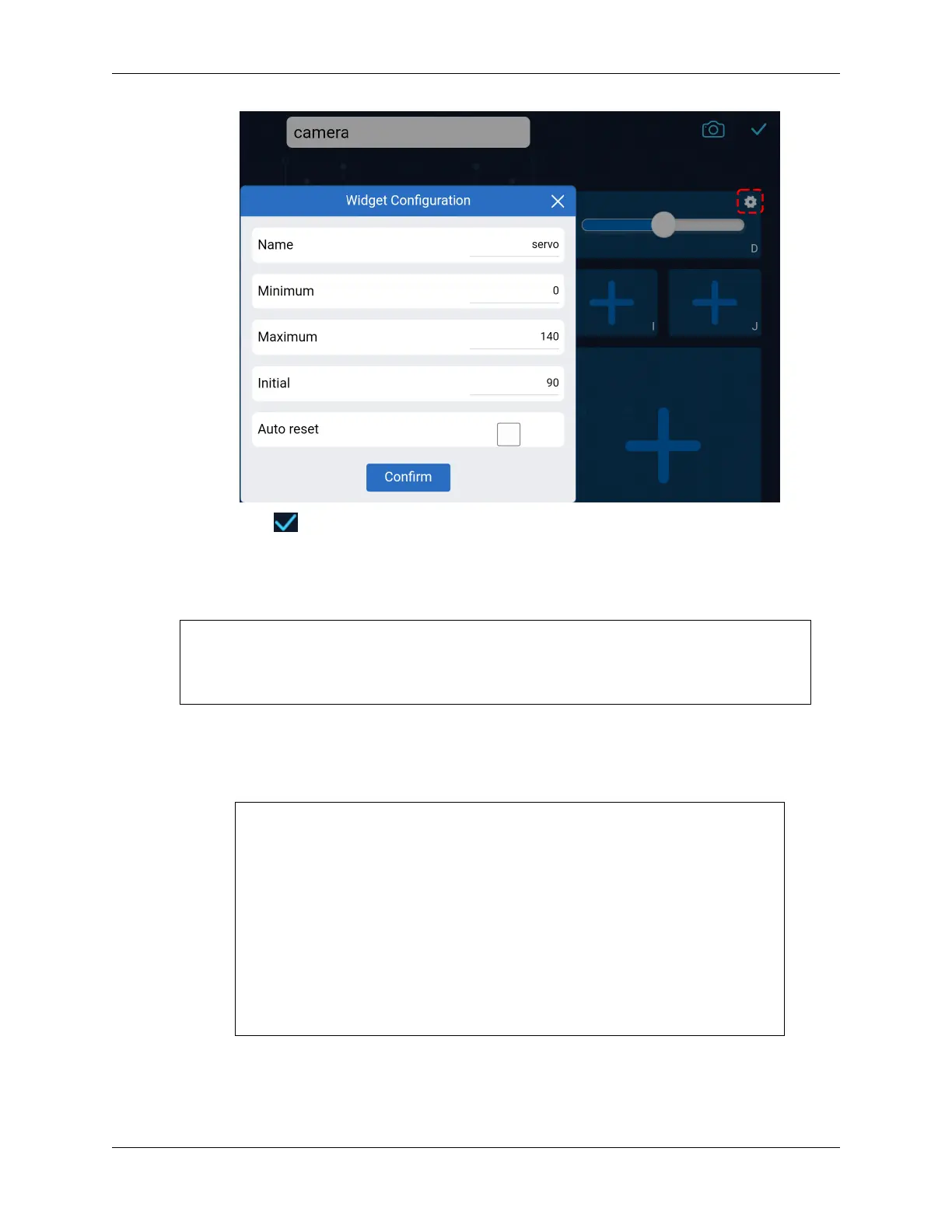
• Click the button in the upper right corner to save this controller.
3. Let’s write a code to capture the value of the slider:
• Based on the previous code, let’s switch to AP mode, where you can set the SSID and PASS-
WORD to whatever you prefer.
// AP Mode
#define WIFI_MODE WIFI_MODE_AP
#define SSID "GalaxyRVR"
#define PASSWORD "12345678"
• Next, we add an onReceive() function to receive values from the SunFounder Controller and
print these values in the Serial Monitor. We use the getSlider() function to get the value of
the slider widget. I added a slider widget in Region D, but if you added it in a different region,
you need to change REGION_D to your region.
void onReceive() {
int16_t sliderD = aiCam.getSlider(REGION_D);
Serial.print("Slider D: ");
Serial.println(sliderD);
}
void setup() {
...
// Set the function to execute when data is received
aiCam.setOnReceived(onReceive);
...
}
• Here is the complete code:
• Before uploading the code, make sure the switch is turned to the right.
3.11. Lesson 11: Exploring the Mars Rover Visual System - Camera and Real-time Control 89


 To Next Page
 Loading...