SunFounder GalaxyRVR Kit for Arduino, Release 1.0
GalaxyRVR. By doing this, both your mobile device and the Rover will be on the same network, enabling smooth
communication between the applications on your mobile device and the Rover.
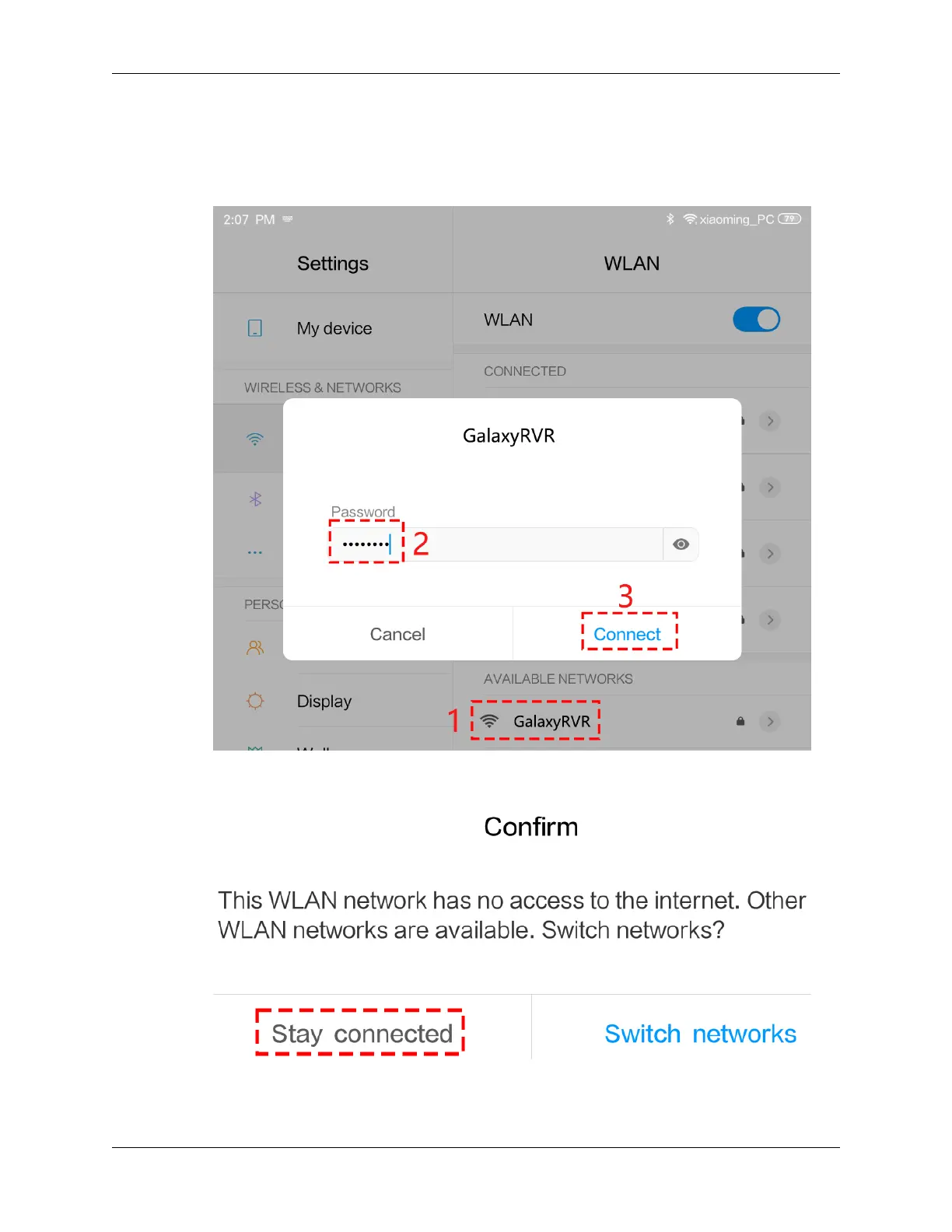
• Find GalaxyRVR on the list of available networks on your mobile device (tablet or smartphone), enter the
password 12345678, and connect to it.
• The default connection mode is AP mode. After you connect, there may be a prompt warning you that
there is no Internet access on this WLAN network, please choose to continue the connection.
5. Connect and Activate the Controller.
3.11. Lesson 11: Exploring the Mars Rover Visual System - Camera and Real-time Control 91



 To Next Page