SunFounder Pironman
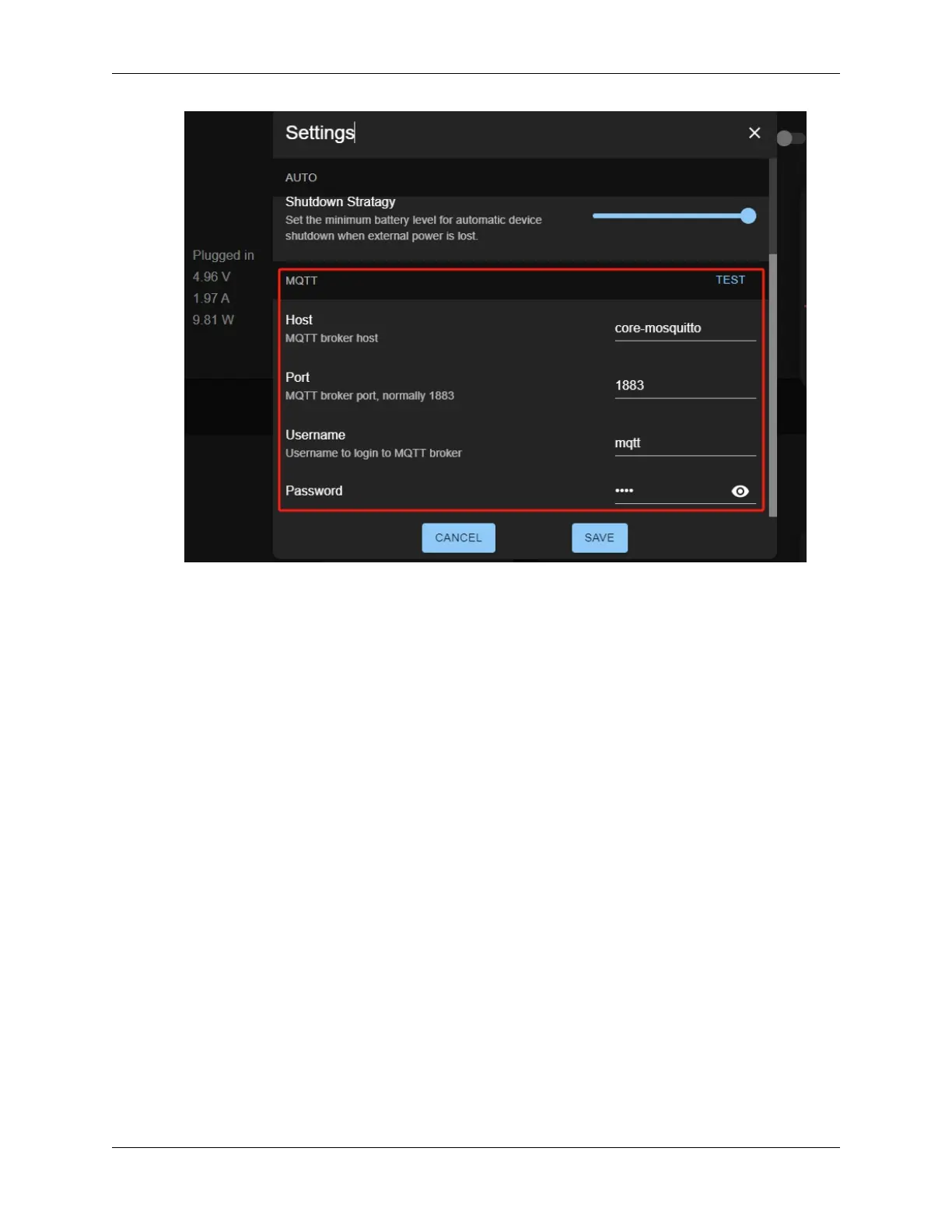
• The default value for host is core_mosquitto. If your Home Assistant is on Pironman U1, leave
it as is; it points directly to the Home Assistant’s MQTT plugin. If it’s on another Home Assistant
server, enter that server’s hostname or IP.
• The default value for port is 1883. You can leave this unchanged unless you’ve modified the
MQTT broker’s settings.
• Fill in the username and password you created earlier.
4. Then click on the TEST button next to MQTT to test the connection to the MQTT server. A checkmark (✓
✓
✓)
will appear if the connection is successful. If it fails, you’ll see an error message: “Connection failed, Check
hostname and port.” Make sure your MQTT Addon is running correctly.
7.5. 5. Home Assistant MQTT Integration 97


 To Next Page