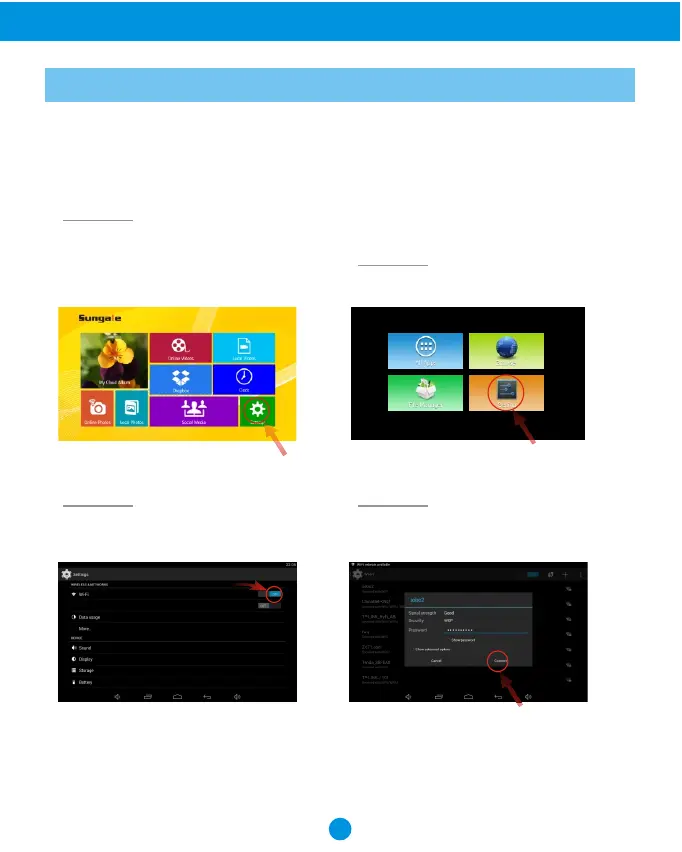
You should automatically be prompted to setup your WiFi connection during the frame
on first time start-up, but if you ever need to connect to a new WiFi network, follow
below instructions:
14
WiFi Setup
Advanced Operation
Select the WiFi button to the "ON"
position.
Select your network, put in your
password, and then click "connect".
Step 3. Step 4.
Step 1.
Step 2.
Select the "Settings" menu icon.
To setup the WiFi Connection on your
photo frame, click "Settings" from
the home screen.



 To Next Page