7
Basic Operation
Link Wi-Fi
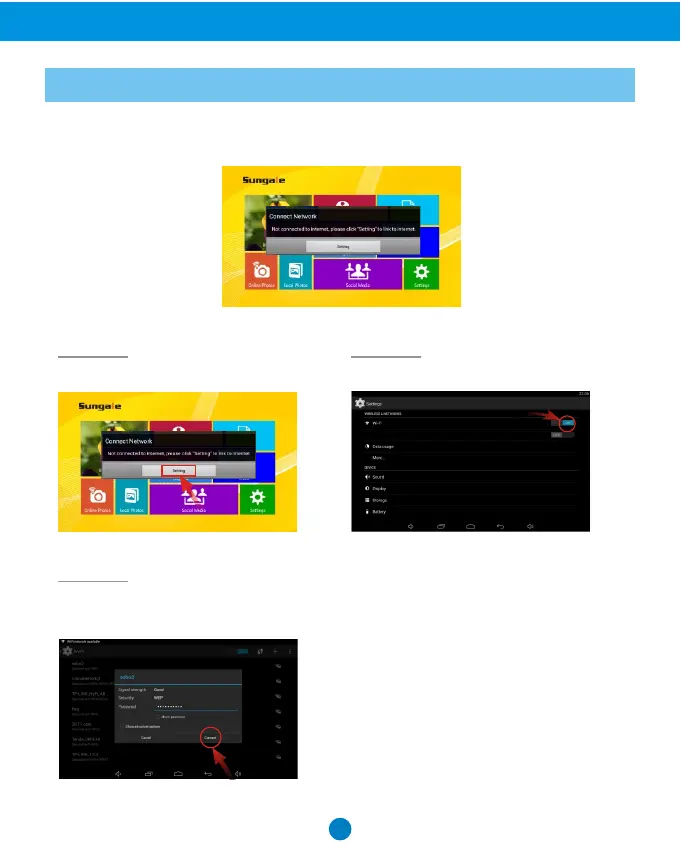
After power-on, the screen will appear a prompt to ask you to link to Wi-Fi, follow
below instructions to link your frame to the internet.
Step 1. Step 2.
Select the WiFi button to the "ON" position.
Select your network, put in your
password, and then click "connect".
Step 3.
Note: A WiFi internet connection is
required in order to register and use
your frame as well as access the online
features available.
Tap "Settings" button on the prompt.



 To Next Page