Advanced Operation
My Cloud Album
15
The My Cloud Album is used for displaying the photos you pushed from your mobile
phone or computer to Cloud Storage, then to this frame.
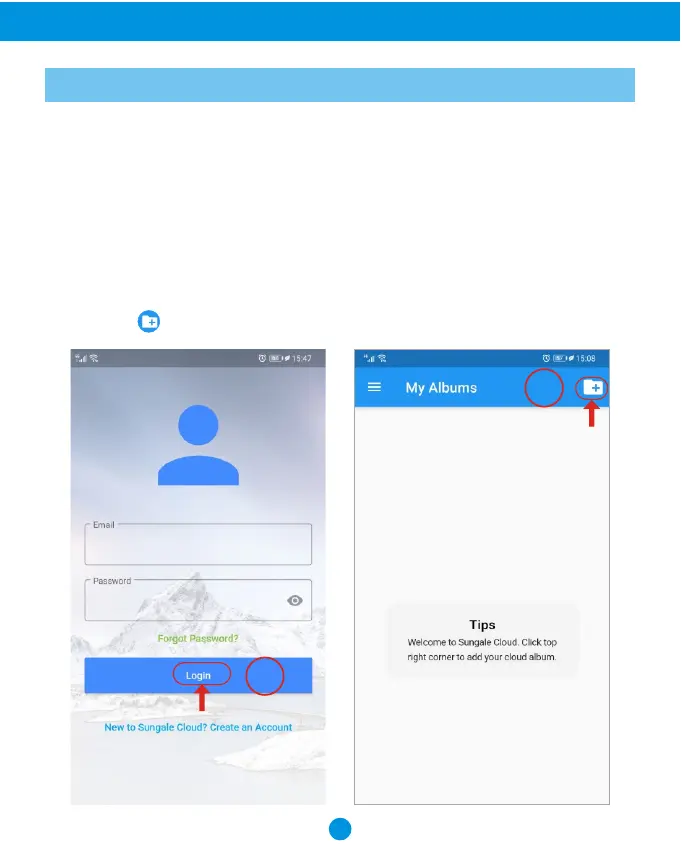
1) Add photos to the Cloud by "Sungale Cloud" App:
Step 1: Login into your account
How to add photos to the Cloud?
Go to Google Play Store or Apple App Store to download and install "Sungale Cloud"
App into your mobile phone, open it, then, follow the screen prompts as below to setup
your Cloud Albums, push photos to cloud frame.
1
2
Step 2: Tap icon from the upper right hand corner.



 To Next Page