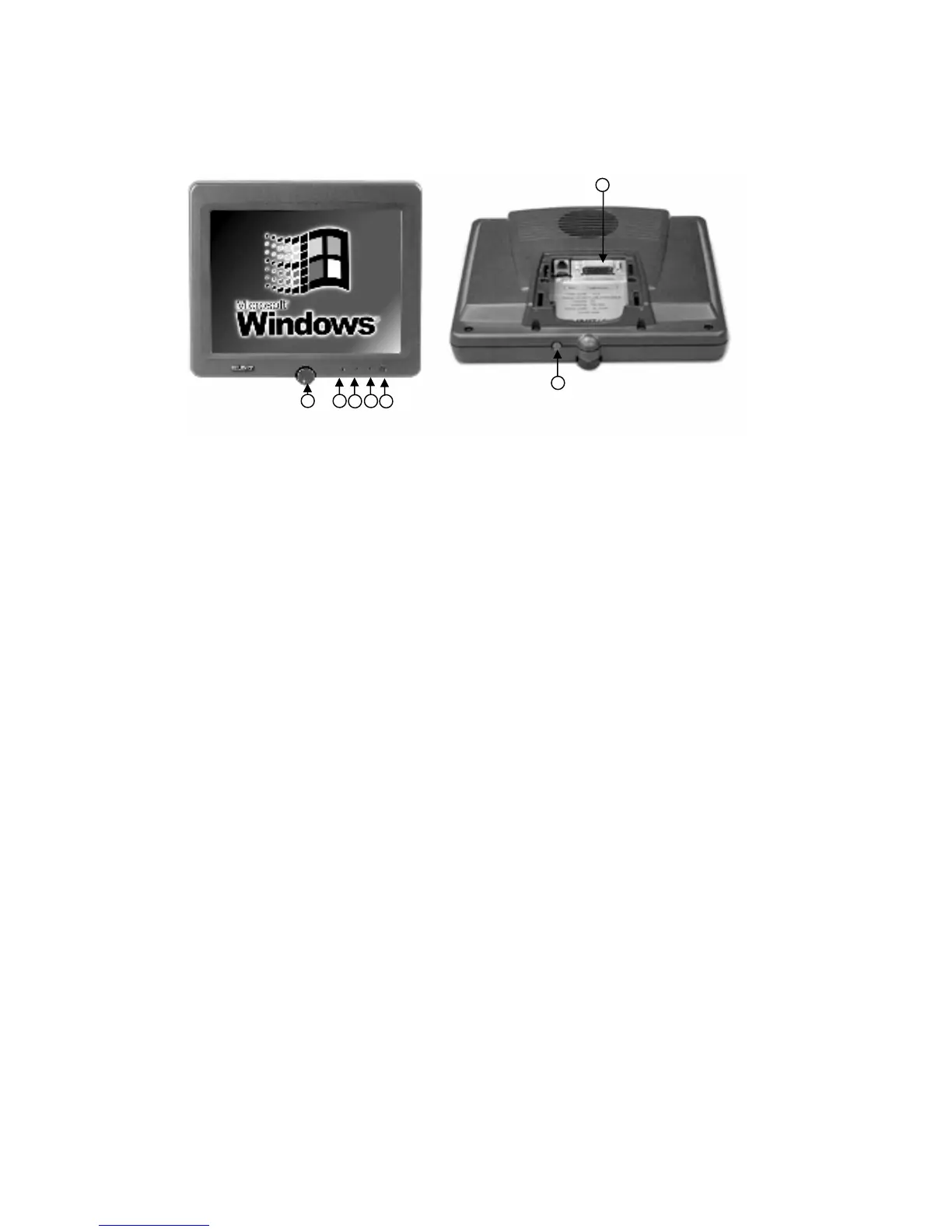
11
4
7
1
2
3
6
5
Three indicator leds shows the status of the computer:
1. Green continuous: Computer on
Green blinking: Computer is starting.
2. Yellow continuous: Preheating mode
Yellow blinking (1 sec./1 sec.): CPU only heating mode
Yellow blinking (0,2 sec./2 sec.): Display only heating mode
3. Red continuous: Display backlight turned off.
4. Light sensor for automatic brightness adjustment. The lowest level of auto brightness can be ad-
justed by the manual adjustment knob (7).
5. Connector for display cable.
6. Computer on/off and display on/off.
Short press:
- if computer is on, display backlight on/off
- if computer is off, starts the unit
Long press:
- if pressed more than 4 seconds, shuts the unit down. NOTE! Required only in exception, when
operating system does not respond.
7. Manual adjustment knob of the display’s low-level brightness.
8” and 12” display buttons and indicators


 To Next Page