14
RESETTING THE COMPUTER
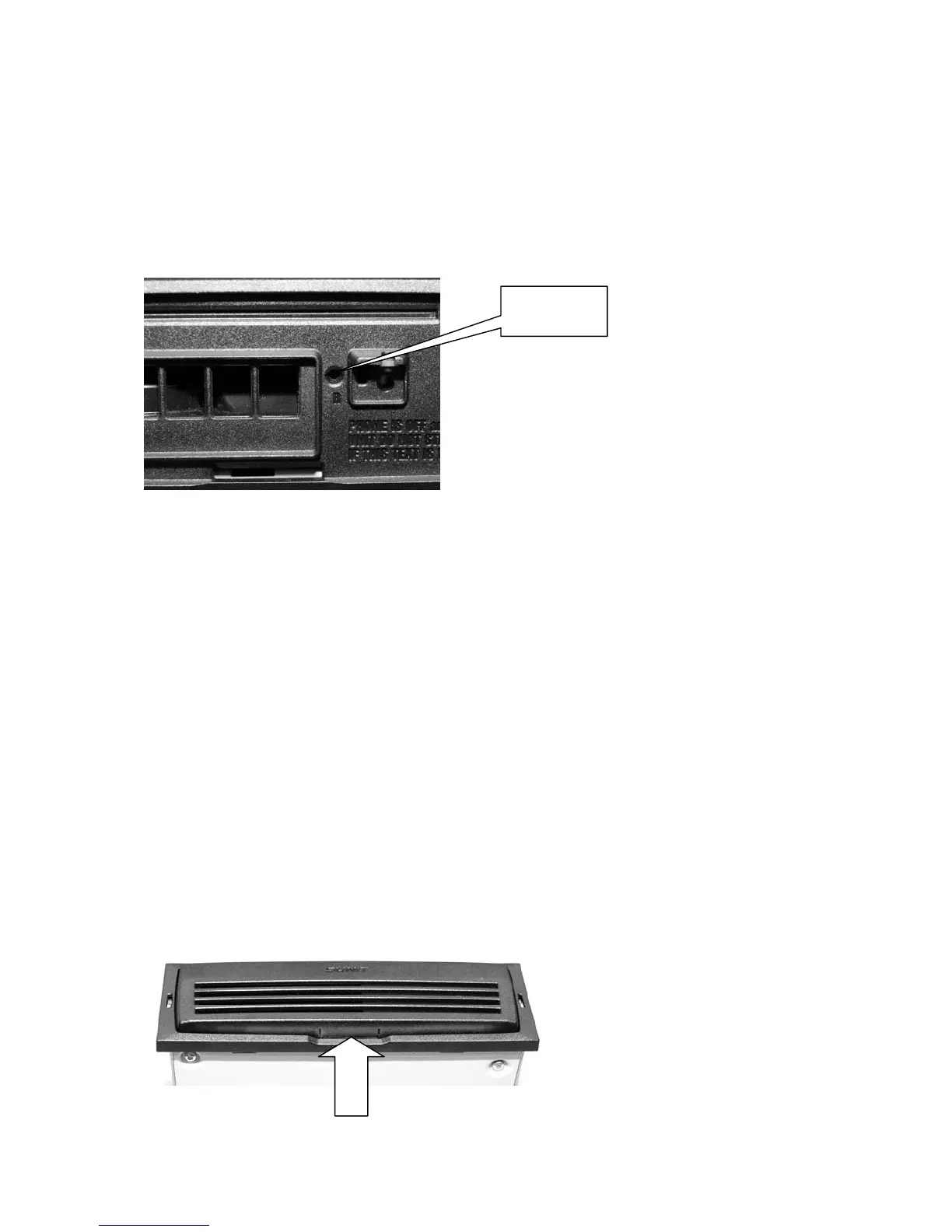
To solve telecommunication or location problems the telematics card may have to reset. In that case
the computer should be turned off by pressing on/off button for about 4 seconds. When the computer
has shut down, reset the telematics card by pressing the reset button using a pen, paper clip etc
Reset
MAINTENANCE
Do not scratch or press the cover of the device with sharp objects. You must not touch to the display
element with a sharp object. Do not fasten any accessories to the cover of the display or of the cen-
tral unit
To protect the electronics of the device, the covers must be always kept closed. The device contains
an internal heat management systems which controls the fan, so do not set any objects on or over
the central unit, which may prevent the ventilation of the device. If any failure occurs, please contact
the service.
Cleaning
- clean the filter of the CPU regularly
- keep the display and covers clean from dust, oil or other chemicals
- clean the device by using a weak detergent
- always use a soft towel for cleaning
Cleaning the filter
Open the front panel


 To Next Page