10
DISPLAY
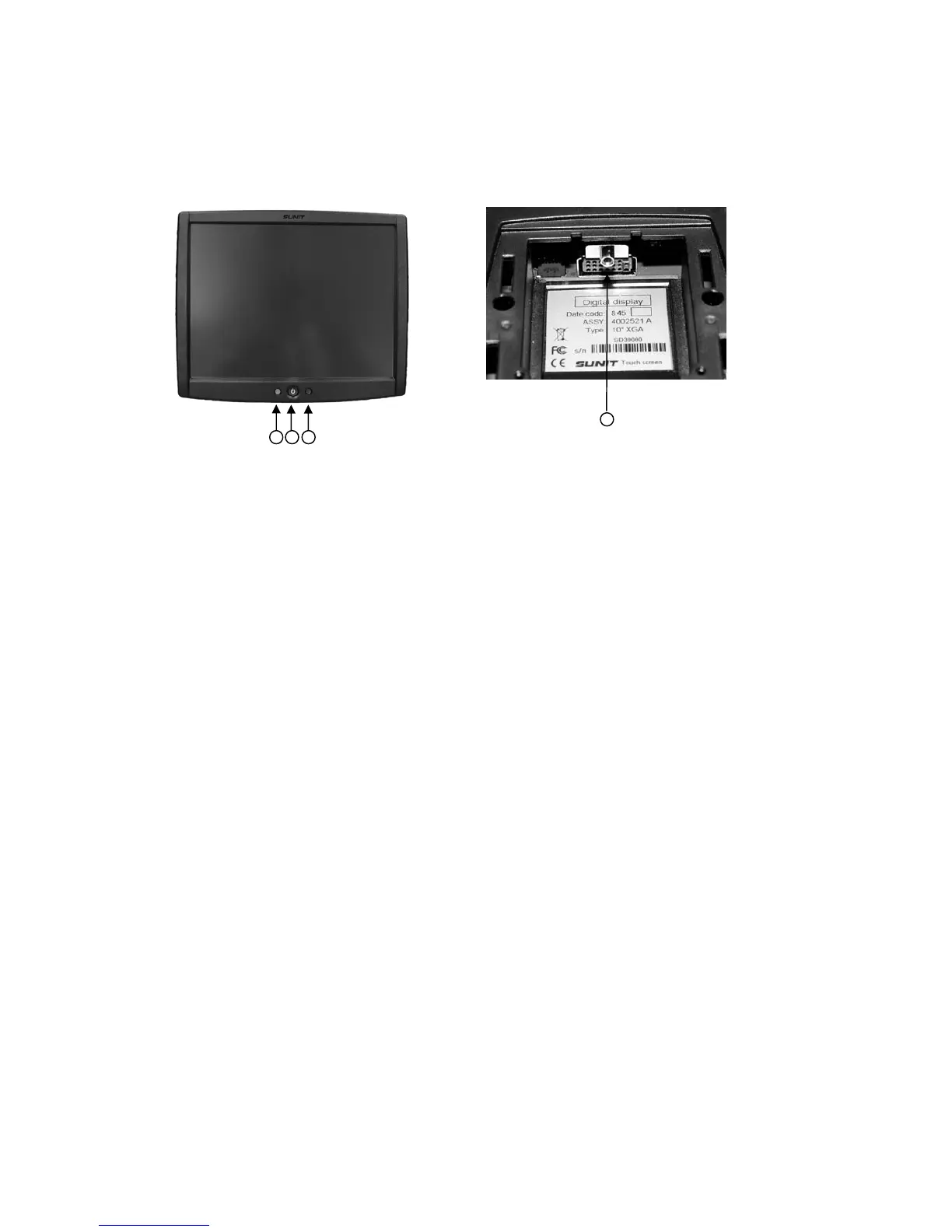
f7”, f10” and f12” display buttons and indicators
1. Power button and brightness adjustment
- start computer by pressing the power button
- when computer is running, pressing the power button shortly turns backlight off/on
- minimum brightness adjustment of the display is available by two short press of the power
button. Then every press increases minimum brightness level
- long audible signal indicates when maximum or minimum level is reached,
- if power button is not pressed in three seconds, it’s function returns to normal
- if power button is pressed and held for four seconds, the computer shuts down. This is
required only in exceptions, when operating system does not respond.
2. Multicolor-LED
- blinking green = computer is starting
- continuous green = computer is running, power is on
- blinking yellow = computer is on by internal battery
- blinking orange = warning (e.g. problem with the GPS antenna or phone)
- continuous blue = power on, backlight turned off
- continuous red = alarm (e.g. overheating, over voltage)
3. Light sensor for automatic brightness adjustment
- adjust the brightness of the display according ambient light
4. Display cable connection
4
2
1
3


 To Next Page