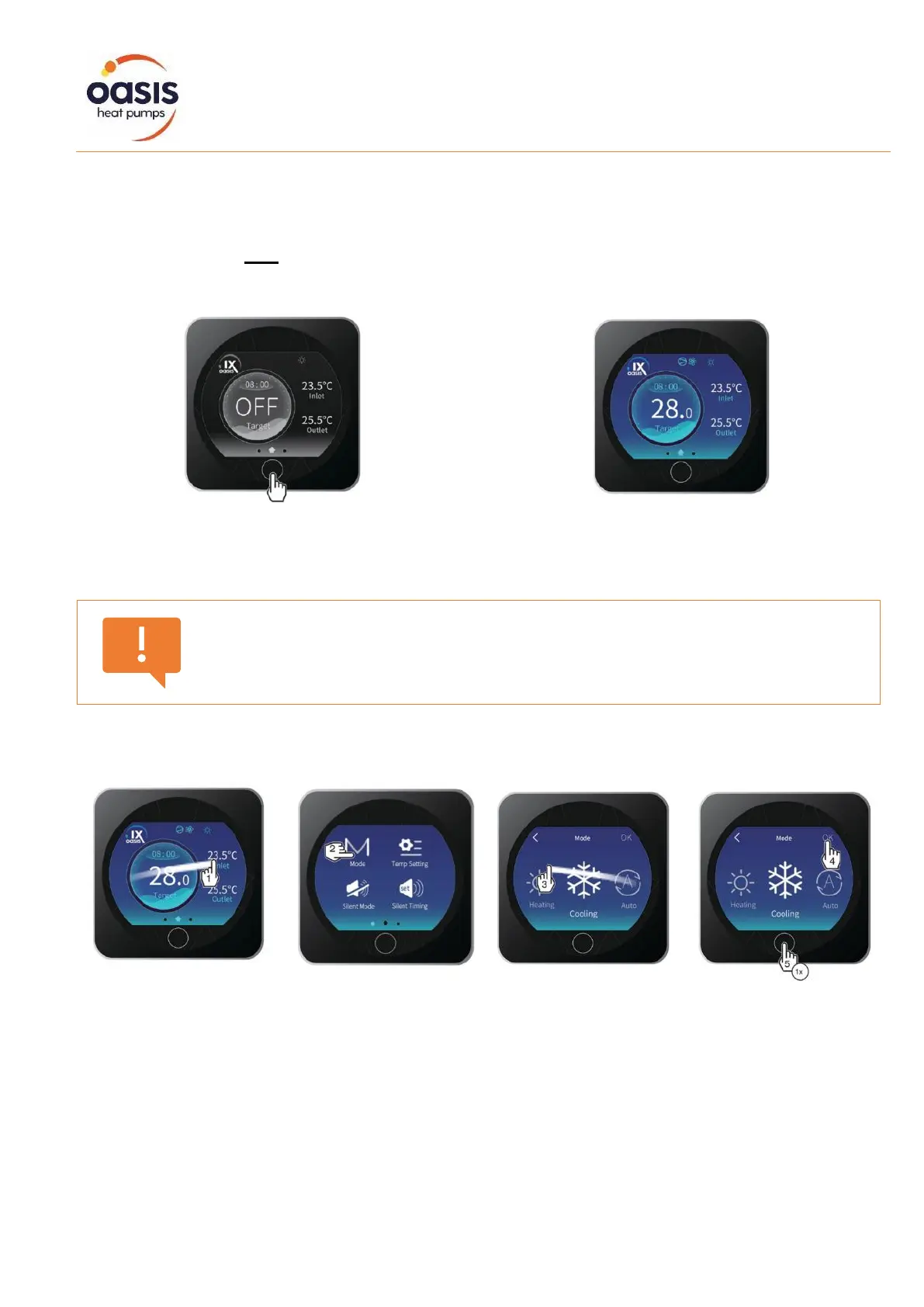
When the heat pump is inactive (in standby mode)
the screen is black. OFF is displayed, as shown
below.
When the heat pump is active (running or setpoint
reached) the screen is blue. The target
temperature is displayed as shown below.
To manually switch from OFF to ON mode and vice versa, press the key for 0.5 seconds.
If you have activated timers, the unit will automatically switch between OFF and ON in
accordance with those settings.
To change the mode (heating / cooling / auto), swipe across to the right and touch the Mode key.
Select your desired mode and press OK to save.
Press once (x1) to return to the home screen.


 To Next Page