Fault Indicator (continued)
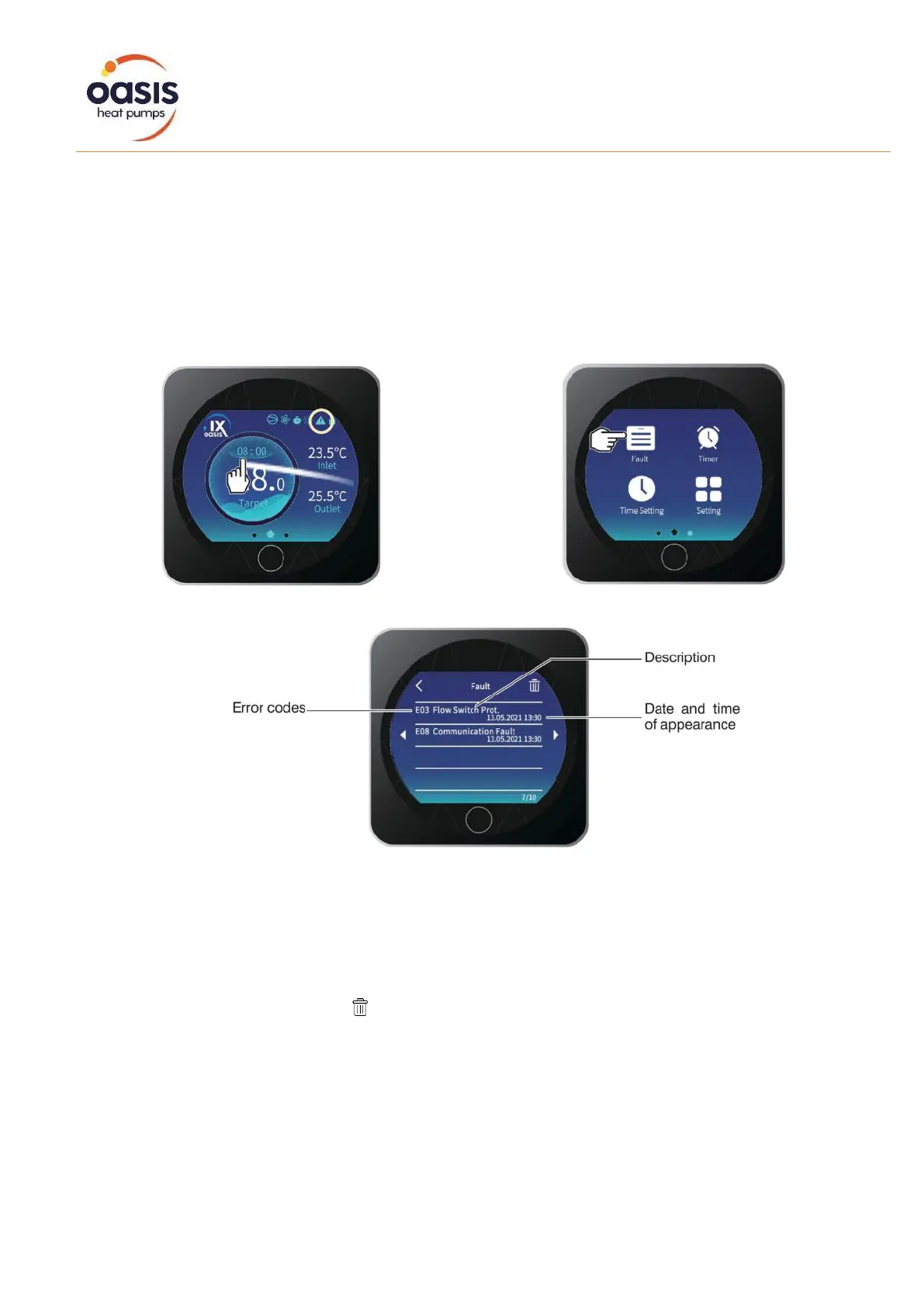
Error messages may occur for a number or reasons. Once resolved, the message is automatically
stored and the fault indicator triangle disappears. If the heat pump will not operate and the fault
indicator is continuously blinking, check the error message and consult with the troubleshooting table
overleaf for possible causes.
To determine the cause of the fault indicator, swipe across to the left and touch the Fault key.
A list of historical error codes will be displayed, including a description of the error and time of
occurrence.
To delete the error list, press on the icon. Press twice (x2) to return to the main screen.


 To Next Page