14. Troubleshooting
Following issues could be resolved by hard resetting the
table (refer to “06. Hard reset the programmable control”):
If the display reads “H01”,
which indicates system
overheating, please power off
the table for at least 20 mins.
If the display reads “E13”,
please power off the table
and power on it again.
13. Adjust the Sensitivity to an Obstruction
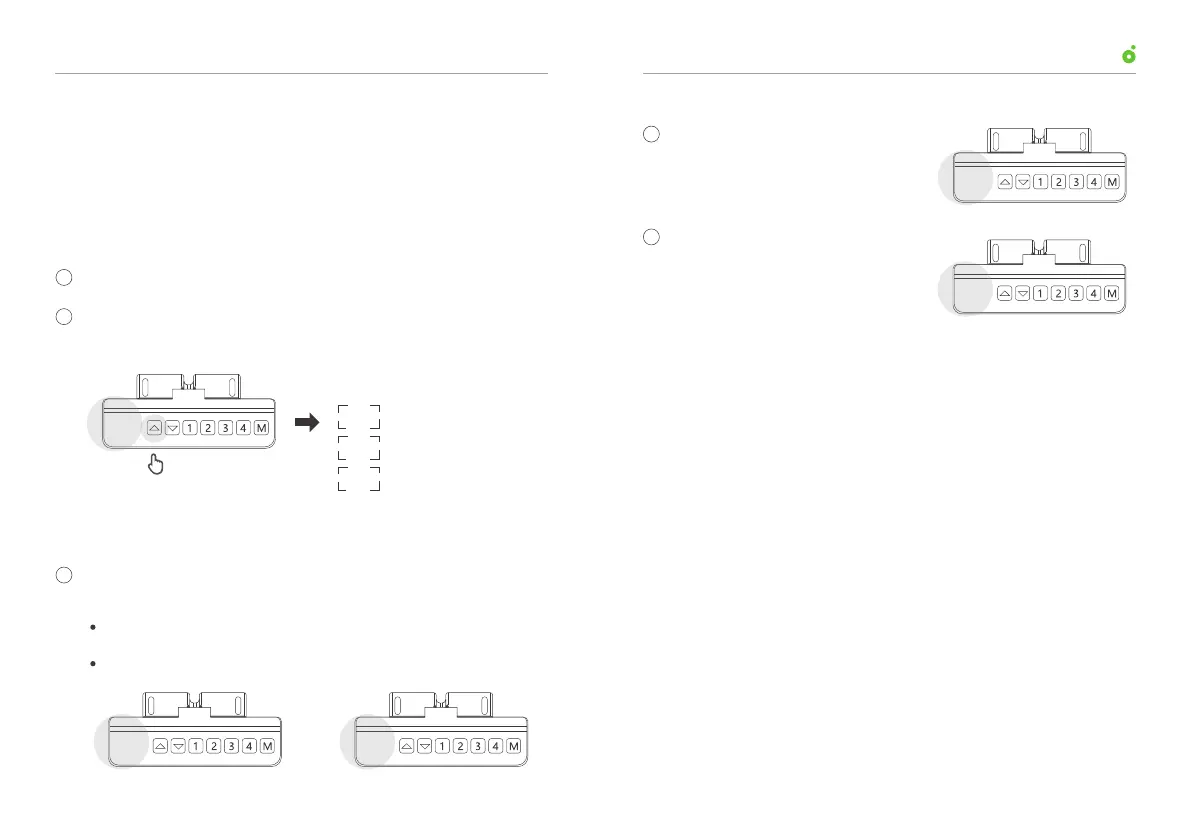
Press and hold for 5 s
The desk will automatically stop and retract slightly when sensing
an obstruction. There are three adjustable levels of sensitivity to an
obstruction .
Follow the steps below to adjust the sensitivity:
Hold and press the up arrow for 5 s to switch between three
levels of sensitivity:
User ManualUP1 Height-Adjustable Desk
RES E07
E13
H01
Enter into the reset mode (refer to “10. Enter into the reset mode”).
resistance>10kg
resistance>15kg
resistance>20kg
Three level of Sensitivity switch
10.5
The table doesn’t respond to any button operation.
The display reads “RES”, “E07” or “E08”.
2
2
3
1
1
10.6
10.5
10.7
1211



 To Next Page