Pantone 1375 C
RGB: 255, 158, 27
CMYK: 0, 38, 89, 0
HEX: #FF9E1B
Gray 49%
Sunsation Instructions Manual
19
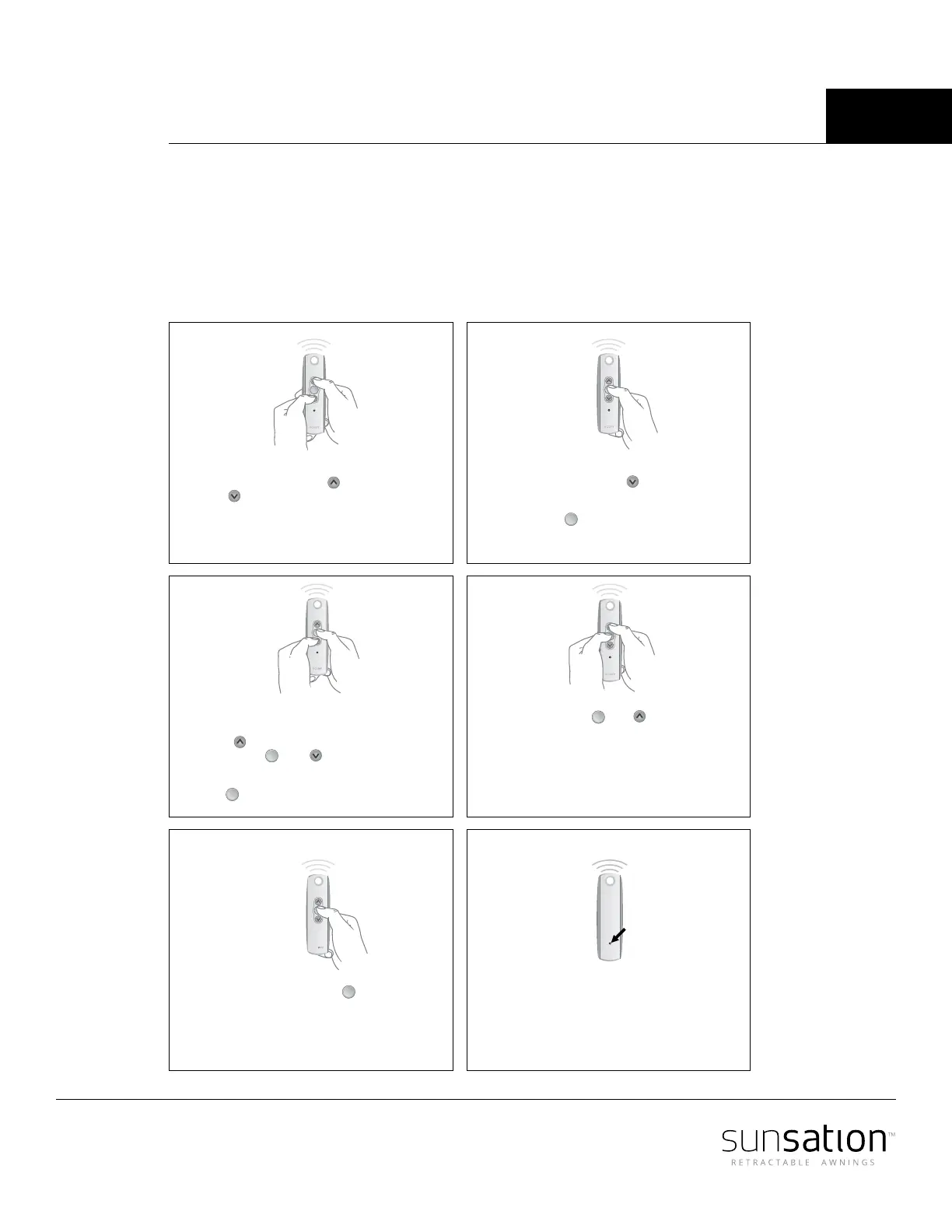
Set the awning limit remotely
Sunea RTS CMO motors can be set with the Telis remote control.
For videos and Troubleshooting, go to www.sunsationawning.com/support/
my
my
my
my
STEP 6
Press and hold the Program
button on the back of the
transmitter until the motor
jogs. Double check limits as
a precaution.
STEP 1
Initiate programming by
pressing both the (Up) and
(Down) buttons at the same
time until the motor jogs.
STEP 5
Press and hold the button
until the motor jogs
op
my
STEP 2
Check the direction of operation.
Press and hold the button and
confirm it moves the motor out.
To change the direction press and
hold the (Stop) button until the
motor jogs.
my
my
STEP 3
Bring the motor to your desired
upper limit by pressing the
button. Press and hold both
the and buttons until
the motor begins to move
down, then release. Use the
button to stop it at the desired
lower limit
my
my
STEP 4
Press the button
until the motor begins
to move up. the motor will
stop at the original upper
point.
and
my



 To Next Page