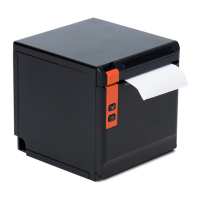
WTP-801 User Manual
● Printer hardware setting
1) Print Density: Light, Medium, Standard, Dark (default "standard" level)
The print density value varies according to the paper material and it can be adjusted to suit your
needs.
2) DIP Mode: 180/203DPI (default "203 DPI")
The printer supports both of these resolutions.
3) Language Mode:
Chinese, Japanese, Korean mode (default)
Multi-language mode
●
COM Setting
1) Baud Rate: 2400, 4800, 9600, 19200, 38400, 57600, 115200
2) Data Length: 7bits, 8bits
3) Parity Check: No, EVEN, ODD
4) ADDC: DTR/DSR, XON/XOFF
Note: The value of the serial port parameter can be obtained according to the value of the
Self-test page information:
E.g: Self-test page (Serial 115200, None, 8, 1, DTR/DSR)
Baud Rate: 115200
Parity Check: None
Data Length: 8bits
Stop Bits: 1
ADDC: DTR/DSR
Note: When the DIP setting is set in memory switch mode, the DIP switch at the bottom of
the printer need to be disabled.


 To Next Page