WTP-801 User Manual
9.4 Windows Driver Installation
Warning:
Under different operating system and different type of driver, the screen has slight difference.
Please operate it according to the tips. Take WTP-801 (Windows 7) as example.
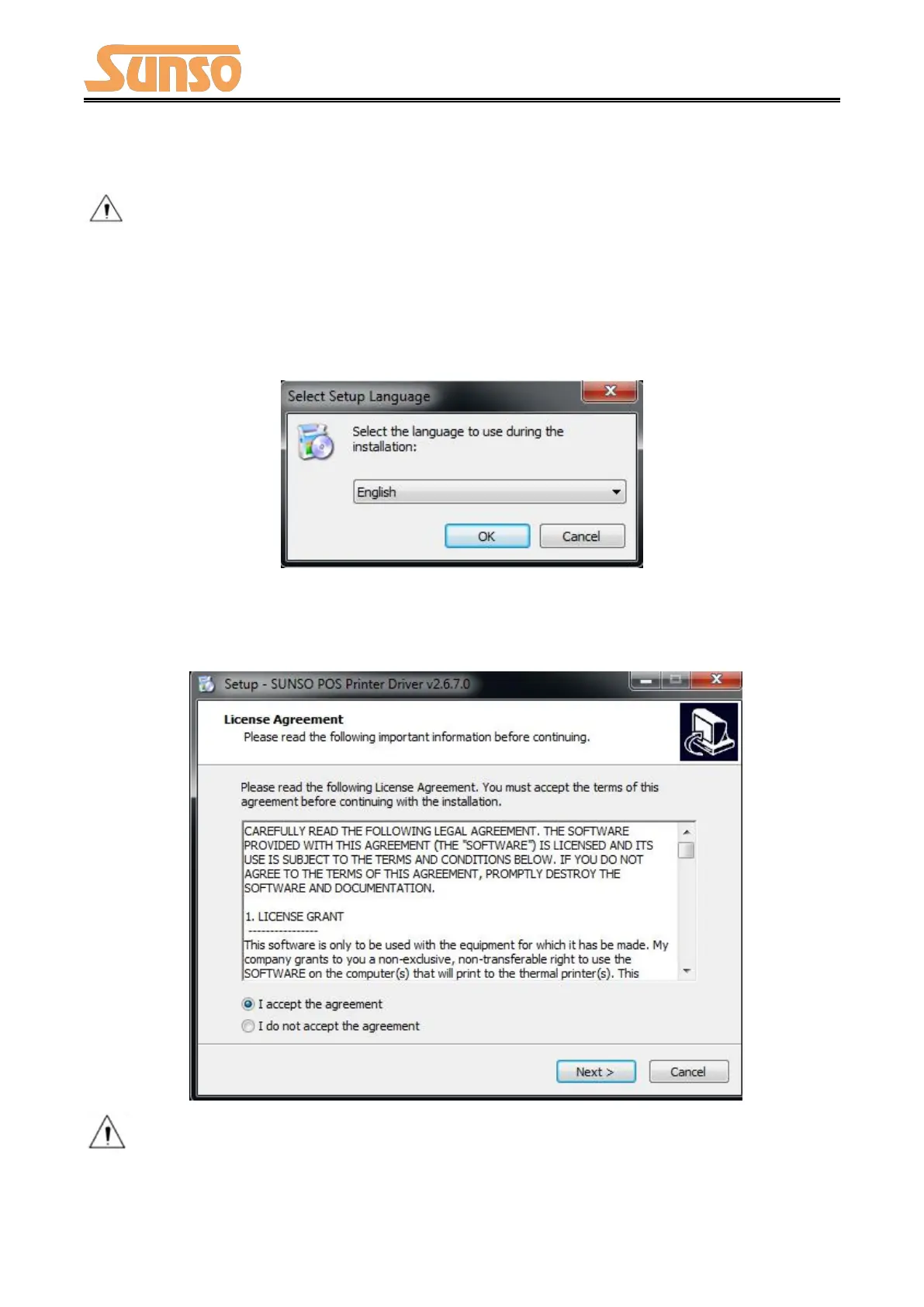
1) Double click Windows Driver.
2) Choose “English” and click “OK”.
3) Choose “I accept the agreement”, then click “Next”.
Note: If printer is already connected with computer by USB port, it only needs to click
“Install”, then it will be installed automatically. Otherwise, proceed to the next step.


 To Next Page