OSD Menu
OSD Menu
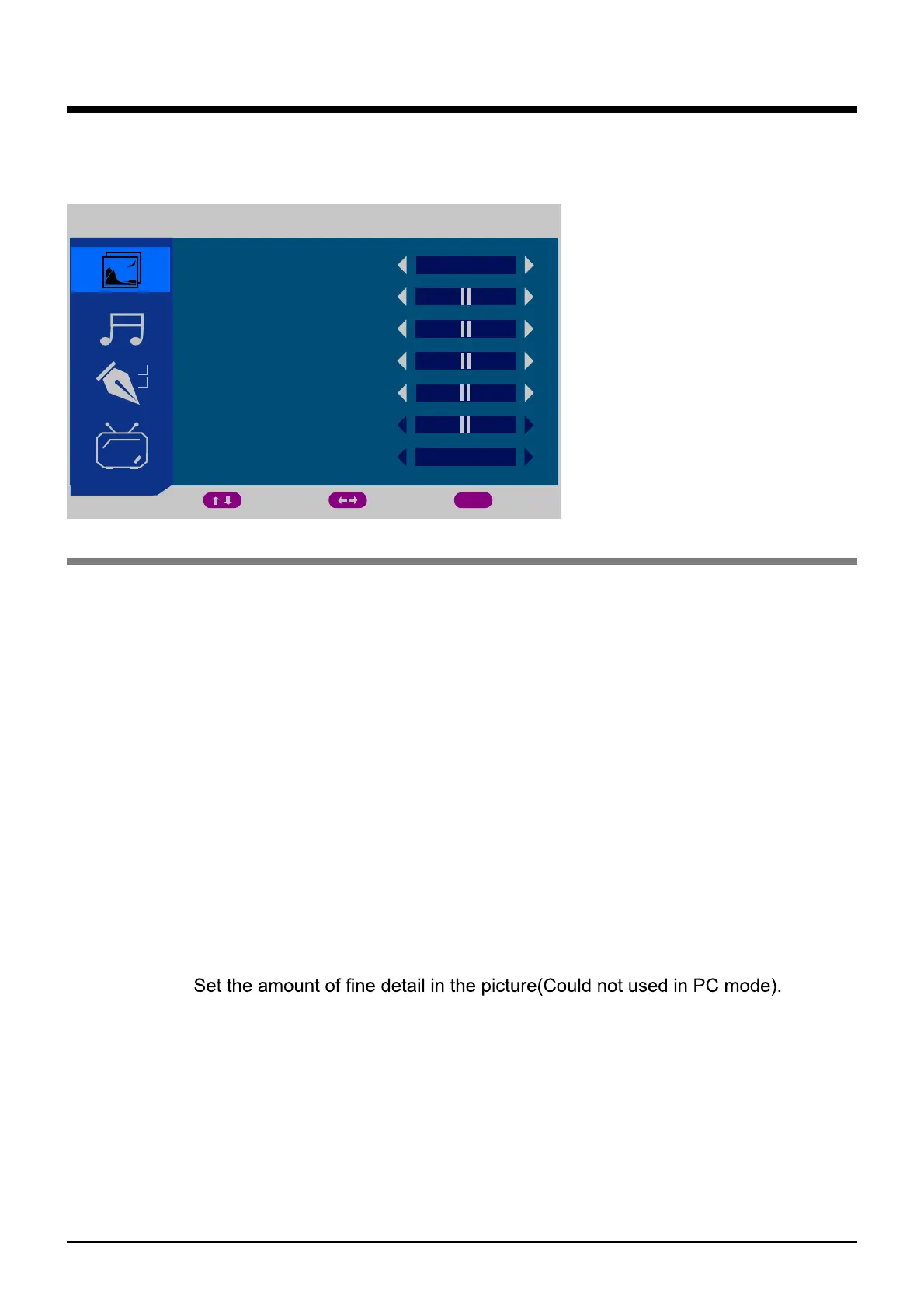
1. PICTURE menu(TV mode for example)
PICTURE
PICTURE MODE
BRIGHTNESS
CONTRAST
COLOUR
SHARPNESS
TINT
COLOUR TEMPERATURE
MOVE ADJUST EXIT
MENU
PERSONAL
NORMAL
PICTURE MODE: Select between STANDARD, MOVIE, MILD, GAME, PERSONAL.
You may select the picture mode directly by pressing the PICTURE button on the remote
control.
Personal: You can adjust the Brightness ,Contrast, Colour, Sharpness to your own taste.
Standard: A normal use mode which usually used in a unchangeable light environment.
Movie: This mode is better used in a dark environment. The brightness is higher than other
modes.
Mild:This mode is better used in a place which is bright ,the brightness ,colour and sharpness
are lower than those of other modes .
Game:Usually used when you play games ,the brightness is just lower than that of MOVIE
mode.
Note: If you change the value of Contrast, Brightness, Colour, Tint , Sharpness or
Colour temperature on the picture menu, the picture mode will be changed to
"Personal" automatically.
BRIGHTNESS: Adjust brightness of the picture.
CONTRAST: Control the difference between the bright and dark regions of the screen picture.
COLOUR: Adjust color of the picture(Could not used in PC mode).
SHARPNESS:
TINT: Control the fresh tones to make them appear natural(Used in NTSC mode only).
COLOUR TEMPERATURE: select between Normal, Cool and Warm(Used in PC mode only).
Description
50
50
50
50
5
10


 To Next Page