OSD Menu
Description
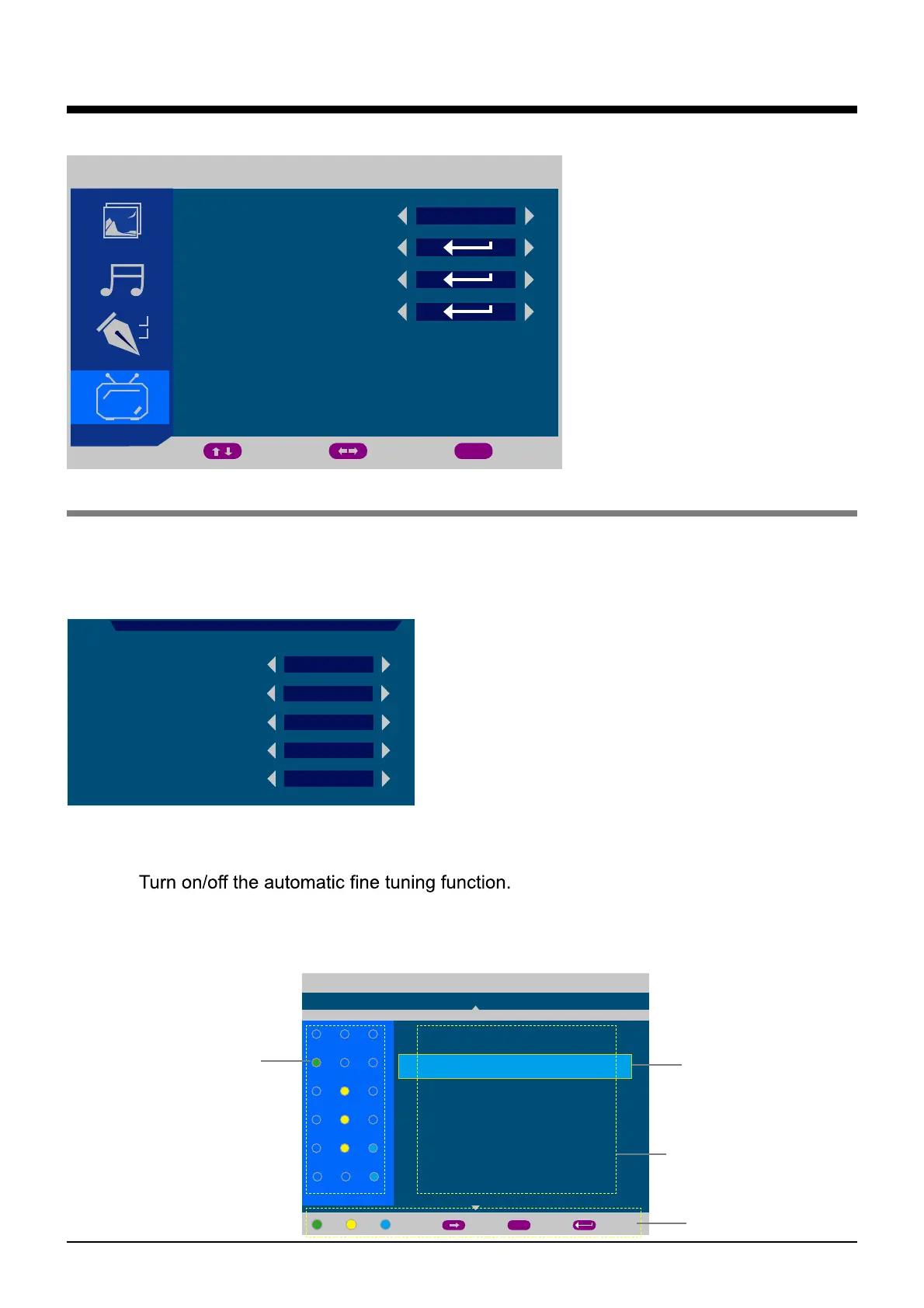
4. TV menu(TV mode)
TV
COUNTRY
AUTO TUNING
MANUAL TUNING
CHANNEL EDIT
MOVE ADJUST EXIT
MENU
OTHER
COUNTRY: Select Country for tuning.
AUTO TUNING: Pressing > button on the item, then select "YES" and press OK button to start
auto tuning, or select "NO" to cancel.
MANUAL TUNING: Enter the MANUAL TUNING menu by pressing > button on the item.
CHANNEL EDIT: Enter the CHANNEL EDIT menu by pressing > button on the item.
State of the channel
GREEN: favorite
YELLOW: skip
BLUE: lock
Channel and
channel name
Operating channel
Hints for operation
CHANNEL: Select the channel you want to manual tuning.
SOUND SYSTEM: Select the sound system of the channel you select.
COLOUR SYSTEM: Select the colour system of the channel you select.
AFT:
MANUAL TUNING: Manual tuning the Frequency of the channel you select by pressing <
/ > button.
CHANNEL
SOUND SYSTEM
COLOUR SYSTEM
AFT
MANUAL TUNING
001
BG
PAL
OFF
800.25 MHz
MANUAL TUNING
- - - - - - -
- - - - - - -
- - - - - - -
GH
- - - - - - -
CHANNEL EDIT
OPTION TV
001
004
002
005
003
006
FAV SKIP LOCK
AB
MOVE BACK
MENU
ENTER
14


 To Next Page