OSD Menu
ADVANCED SETTING: Enter the ADVANCED SETTING menu by pressing > button on the
item.
TIMER: Enter the TIMER menu by pressing > button on the item.
You could select the time display mode in the menu.
NATIVE GAME: Enter the NATIVE GAME menu by pressing > button on the item.
Press OK button on the item to enter the game.
AUDIO: Select the audio language.
SUBTITLE: Select the subtitle language.
RATING: Press > button on the item and enter the password to enter the RATING menu.
You could select Parental Rating or turn off the function.
AUDIO
SUBTITLE
RATING
DTV\ADVANCED SETTING
DEFAULT
OFF
BOX MAN
TETRIS
HITRAT
DTV\NATIVE GAME
AREA: Select the suitable area.
AUTO TUNING: Pressing > button on the item, then select "YES" and press OK button to start
auto tuning, or select "NO" to cancel.
MANUAL TUNING: Pressing > button on the item, then select "YES" and press OK button to
enter the Manual Search menu.
In the menu, you can select the channel and press OK button to search.
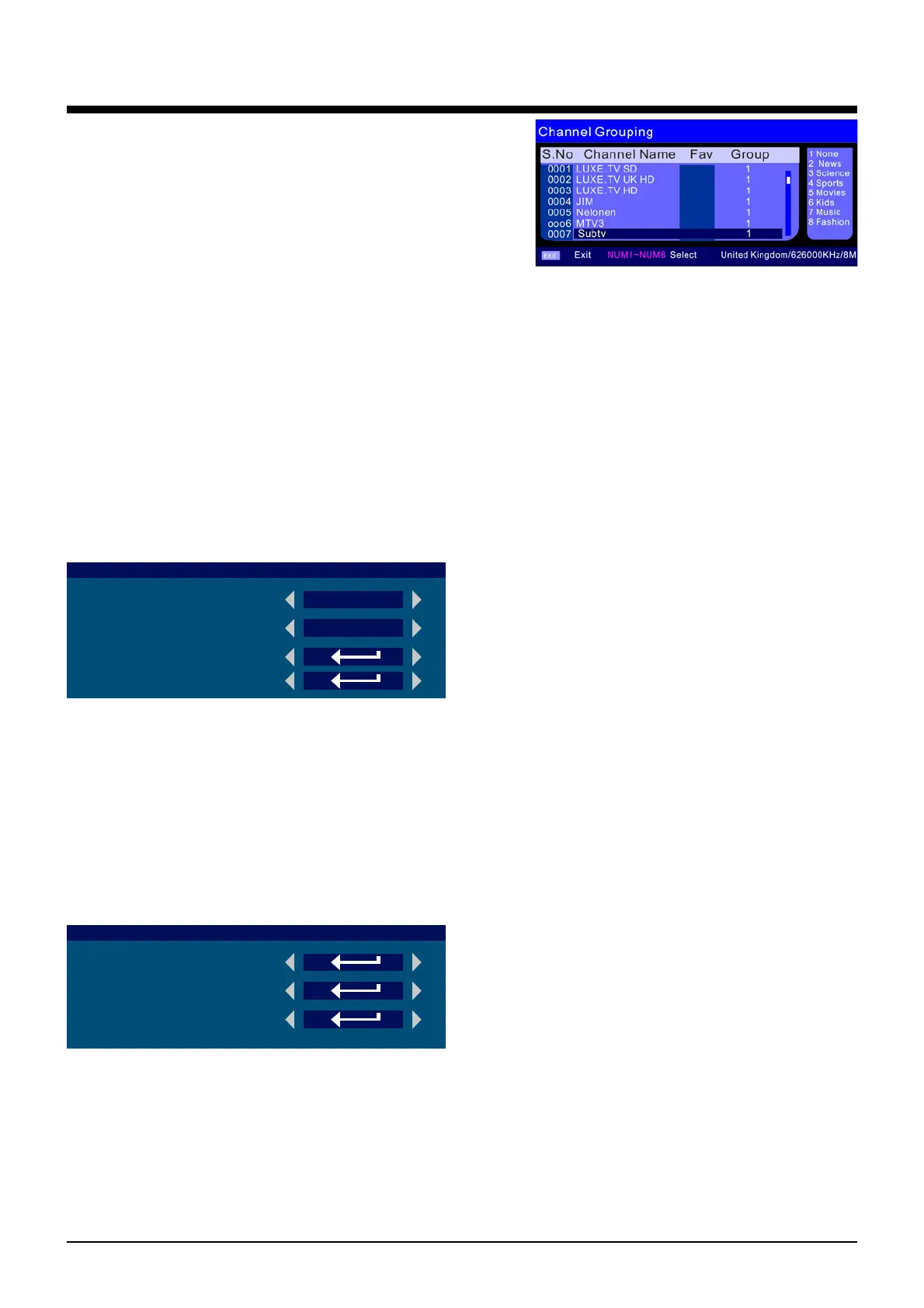
CH.GROUP: Enter the Channel Grouping menu by
pressing > button on the item.
You could grouping the channels by selecting the
group number (1-8) you can see on the right.
DEL TV CH.: Press OK button and select YES to delete all TV channels, or select NO to
cancel.
DEL RADIO CH.: Press OK button and select YES to delete all radio channels, or select NO
to cancel.
CI
CI: Press OK button to enter common interface information.
17



 To Next Page