Need help?
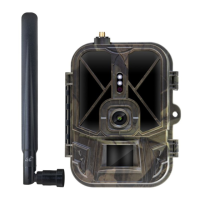
Do you have a question about the Suntek HC-300 and is the answer not in the manual?
Describes the digital trail camera's automatic surveillance capabilities and high-quality imaging.
Details the I/O connectors like USB, SD-card slot, TV output, and DC power.
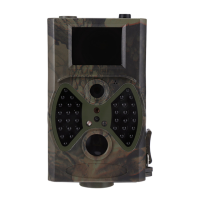
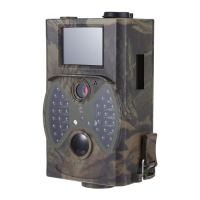
Illustrates and labels the physical parts and features of the camera for user familiarity.
Explains the infrared wireless remote control for settings and password input.
Instructions on using UP/DOWN/LEFT/RIGHT/OK buttons to navigate menus.
Information on character input, specifically mentioning the asterisk for laser pointer.
Details the shooting information displayed on the camera monitor when in TEST mode.
Lists the supported file formats for photos (JPG) and videos (AVI).
Details the requirement for AA batteries and correct loading procedure.
Instructions on inserting the SD card correctly and checking the write-protect switch.
Steps to power on the camera and enter ON mode, including buffering time explanation.
Guides on switching to TEST mode for custom settings, capture, and preview.
Explains accessing menu settings in TEST mode for manual camera customization.
Instructions on manually capturing photos or recording videos using the OK button.
Describes methods for viewing captured images/videos on the LCD or TV.
Instructions on powering off the camera and the low power consumption in OFF mode.
How to access the camera settings menu in TEST mode via the MENU button.
Options for setting Photo Mode, Resolution, Delay, Multi-shot, and ISO.
Options for setting Video Mode, Resolution, Video Length, and Voice recording.
Settings for Date/Time, Distance, Language, Format, TV Mode, and Password.
States that default settings are listed as shown in the table.
Notes that operating steps are suitable for Camera Mode, Photo Size, etc.
Step-by-step guide to setting the camera mode to Photo, Video, or Camera+Video.
Instructions on formatting the SD card, warning about data deletion.
Details how to set the photo resolution to 12MP, 8MP, or 5MP.
Explains how to set video resolution to 1080P, WVGA, or QVGA.
Procedure to change the camera's date and time settings.
How to configure the number of photos taken per trigger (burst mode).
Options for setting ISO values (100, 200, 400) for better night photos.
Instructions to set the duration of video recordings.
How to turn the video sound recording on or off.
Configuration of the PIR sensor's disabled time after triggering.
Setting specific time windows for camera activation and operation.
Steps to enable and set a password for camera access.
How to view and delete captured images and videos.
Detailed steps to view photos/videos on the camera LCD or TV monitor.
Instructions for deleting individual or all photos and videos.
Information on using the laser pointer for aiming in low-light conditions.
Explains the file naming convention and folder structure for images and videos.
Step-by-step guide for updating the camera's firmware.
 General
| Brand | Suntek |
|---|---|
| Model | HC-300 |
| Category | Scouting Camera |
| Language | English |

 To Next Page