Page2
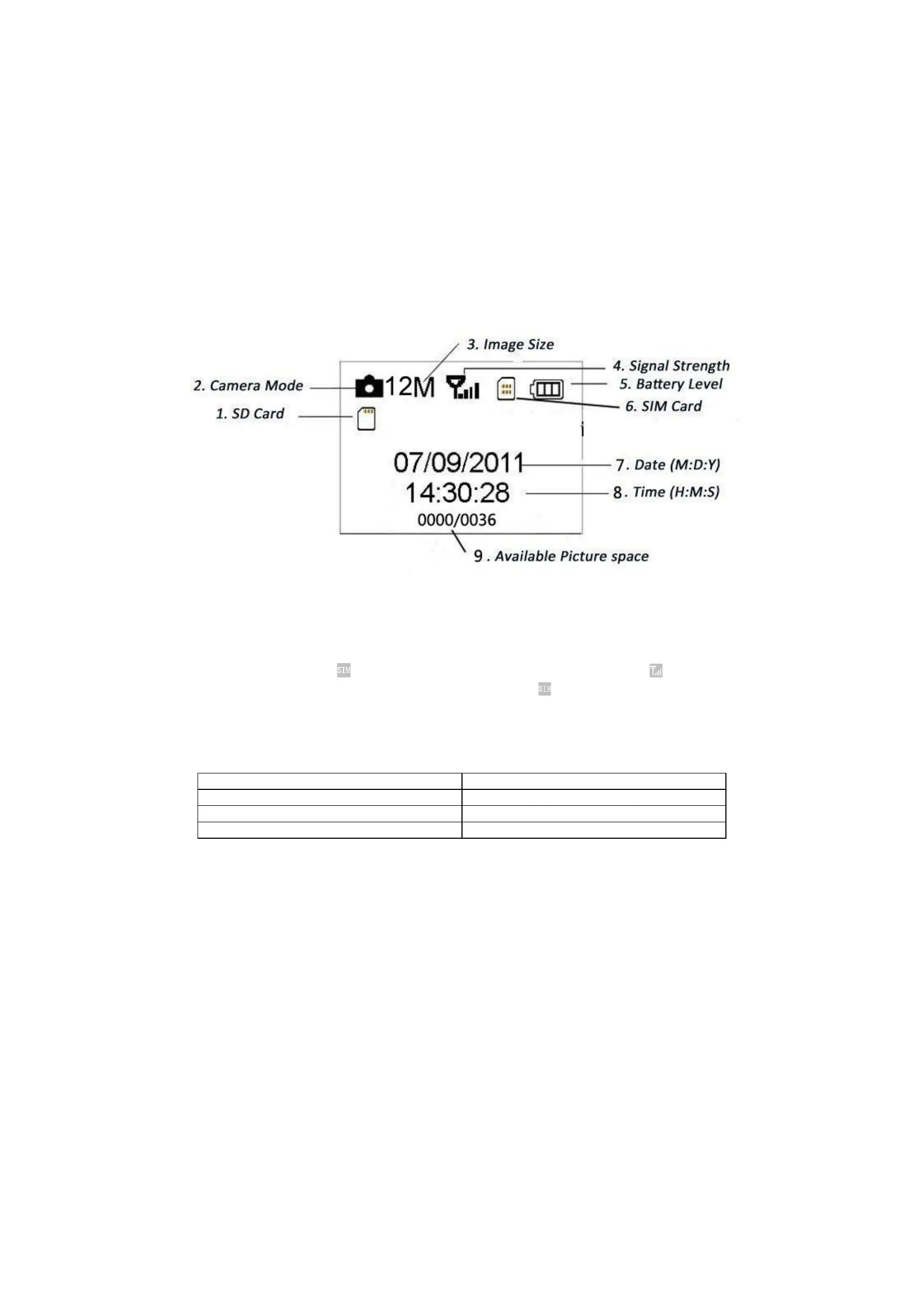
1.4 Shooting Information Display
When the camera is turned on (the power switch is slid to TEST position), the shooting information will bedisplayed in the monitor.
1.5 MMS Function
This camera can send pictures instantly to your mobile device via the GPRS network. You’ll be alerted only when something has happened;
The MMS through GPRS to send, so before using this function you need to make the settings in the txt le for mms or smtp. Review to related
information, please refer to section 4.1 setting menu table “MMS mode” and 4.1.16 MMS and GPRS settings.
SIM card Icon:There are two SIM card icons.
It means the SIM card is inserted and it works well. It means the network signal in your
local place is very good. When without inserting the SIM Card or low signal strength, will disappear at the same time.
There are 5 submenu settings about the MMS function. Including: APN, MMSC, WAP Gateway, MMS Phone, MMS Mail (refer to 4.1 table).
MMS Set means to have the right MMS setting parameters according to your network. Send to means to input the phone number or email
address which you want to send. All 5 submenus must have correct settings.
1.6 Supported Format
Item Format
Photo JPG
Video AVI
File
FAT32
Here are some important notices. You don’t need to concern about the le system format of the camera unless you have problems with
reading the SD-card by your other equipment. If this happened, please format the SD-card in the camera or in a computer at rst and then
reinsert the card into your camera to make a try
.
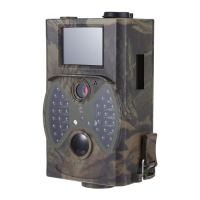
1) 2.5 inch Color LCD Display
2) Power Switch
3) Distance Switch
4) Menu Switch
5) SHUTTER Switch
6) Select Switch
7) SD-Card Slot
8) USB Connector
9) TV Out Connector
10) SIM-Card Slot
11) Battery Depot


 To Next Page