4 Installation
Note
Port 1 Port 2 Port3 Port4
RS485 Port Meter Port Display Port DRED Port
4 Installation
Port Function NO. Defi nition
Port1
ln case of multiple inverters, all the inverters can be dai-
sy-chained via RS485 cables.
1 RS485 A1
2 RS485 B1
3 PE
4 RS485 A1
5 RS485 B1
6 PE
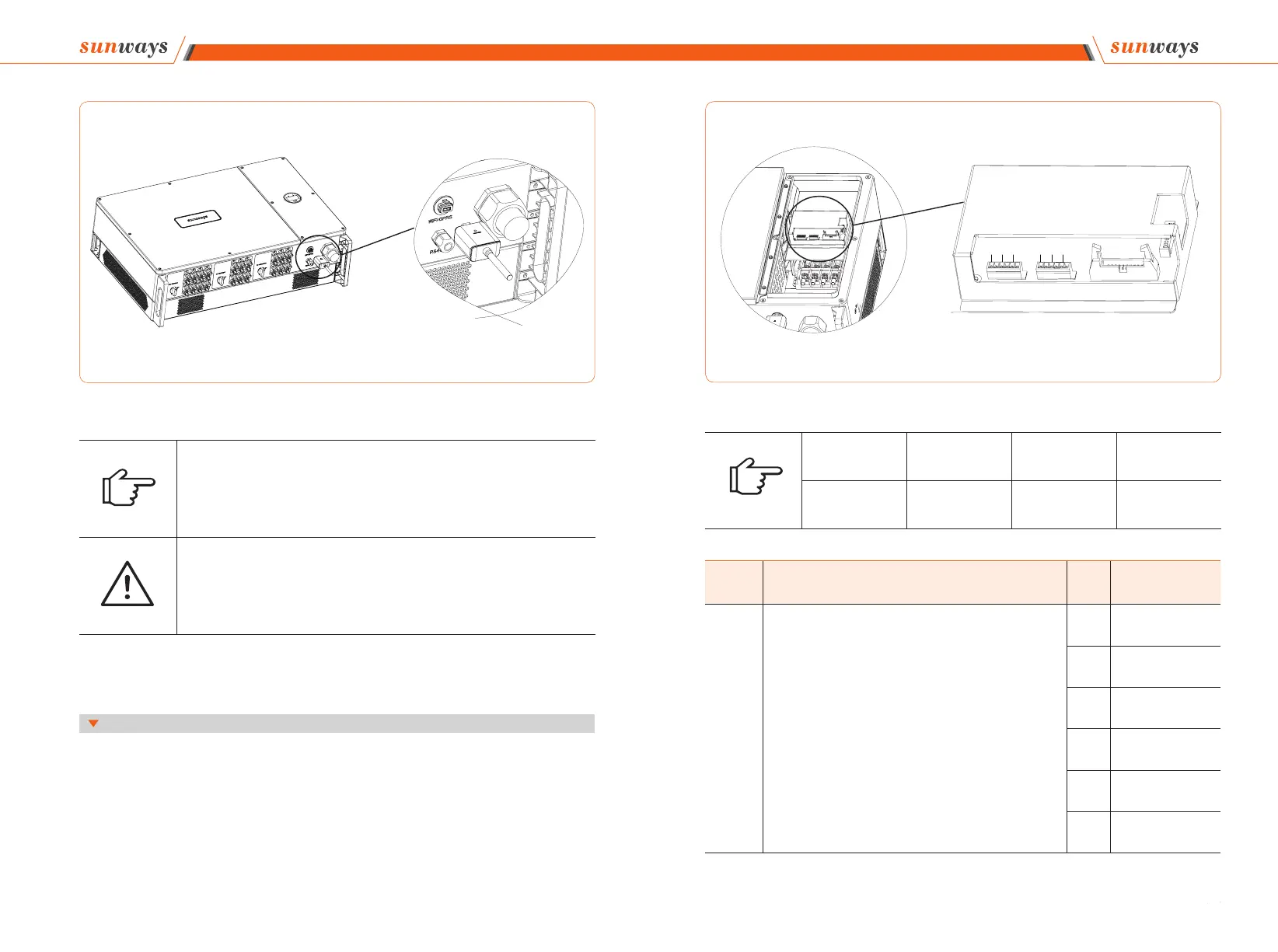
※ 4.6 Meter/RS485/DRED Connection
4.6.1 Terminals defi nition
Figure 4-22
Note
The 4G, GPRS and LAN version module does not need to be confi gured.
The WiFi version module needs to be confi gured to the router for the fi rst installation. If
the router name or password are changed, the WiFi dongle will need to be reconfi gured.
For details, please refer to the [QUICK INSTALLATION GUIDE] which is attached to the
accessory bag.
Attention
Do not touch the waterproof plug in the card slot except for replacing the SIM card. In
that case, please make sure the card slot is completely sealed by the weatherproof plug
after replacing the SIM card. Any damages caused by improper waterproof plug place-
ment, will void warranty.
Figure 4-21 Monitoring device installation



 To Next Page