Version 2.0 – 08/2018 11
4
5
2
1
3
3 Getting Started
3.1 General Notes on Handling
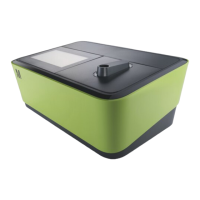
The Spectroquant
®
Prove spectrophotometer is
an optical precision instrument. It should always
be handled with care, especially when in mobile
use. Always protect the instrument from condi-
tions that could damage the mechanical, optical
and electrical components. Please note the fol-
lowing in particular:
• The temperature and humidity during opera-
tion and storage must be within the limits
specified in the "Technical Data" section (see
the Operating Manual)
The instrument must never be exposed to
the following:
• Extreme dust, humidity and moisture
• Intense light and heat
• Fumes that are corrosive or contain high con-
centrations of solvents
In addition take care of the following:
• For measuring, the instrument must be placed
on a flat surface
• Spilled liquid or other material should be re-
moved immediately (see the Operating
Manual)
• If a cell has broken in the cell holder, the cell
holder should be cleaned immediately (see the
Operating Manual)
• The cover should always be closed when the
spectrophoto meter is not in use
• When the spectrophotometer is being trans-
ported, the cell compartment must be empty
3.2 Initial Setup
Proceed as follows:
• Connect the power adapter (see section 3.2.1)
• Switch on the spectrophotometer (see section
3.2.2)
• Set the language (see section 3.2.3)
• Set the date and time (see section 3.2.4)
• Run the self-test (see section 3.2.5)
NOTE
For our Operating Manual please visit:
www.sigmaaldrich.com/spectroquant
For more information about the technical videos
please visit:
www.sigmaaldrich.com/photometry
3.2.1 Connecting the Power Supply
Power is supplied through the power adapter
provided. The power adapter supplies the spec-
trophotometer with the required voltage and
type of current (24 V DC).
CAUTION
The line voltage at the user location must fulfil
the specifications stated on the power adapter
(the specifications are also indicated in the Op-
erating Manual). Only ever use the 24 V power
adapter provided. Please note that damage
caused by using a different power adapter than
the one supplied voids all warranty claims.


 To Next Page
 Loading...