15
Color Box Camera User Manual
SECTION 3: SETUP MENU USAGE
• DPC (Dead pixel compensation). To set the DPC, cover the lens, then select DPC and
press SET.
• SPECIAL
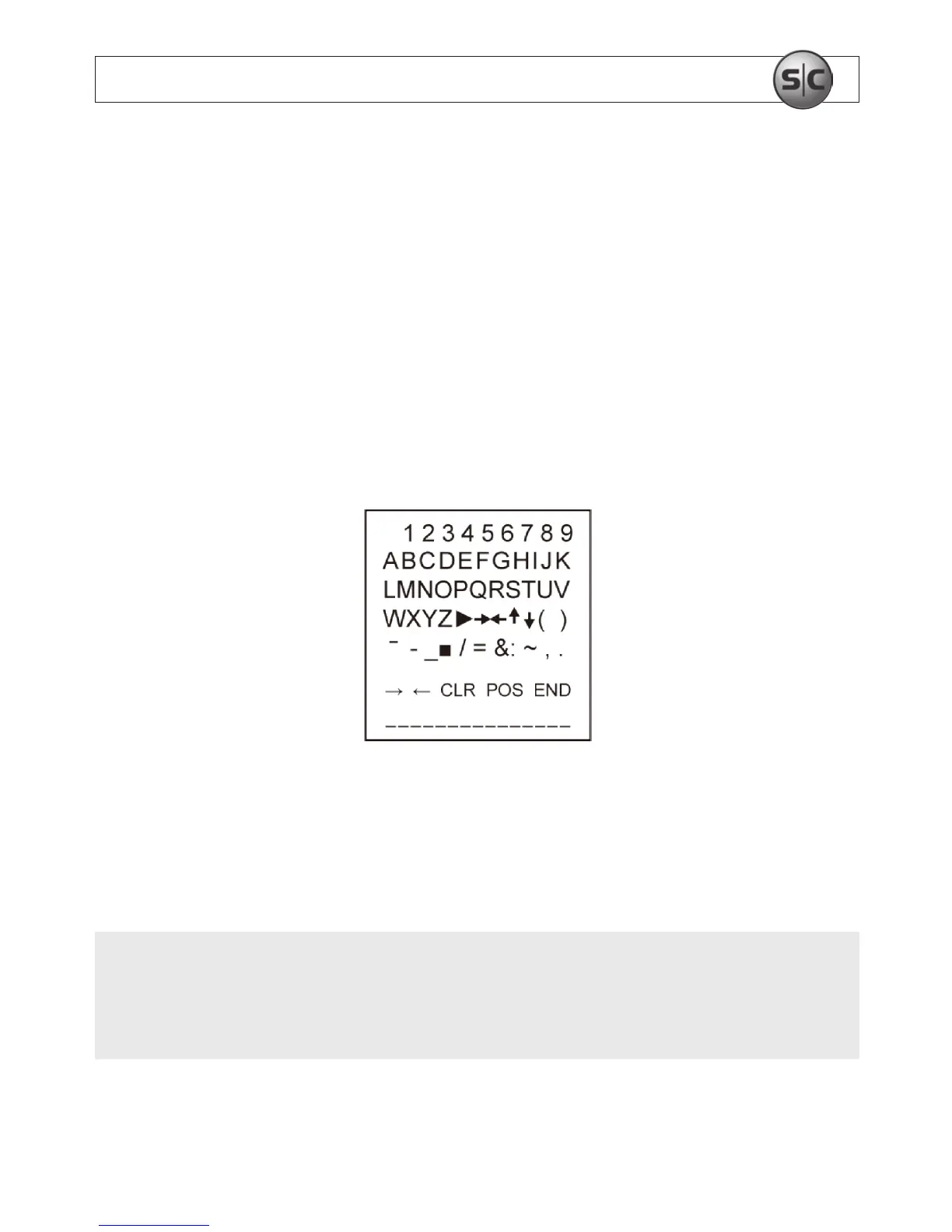
— CAM TITLE: If you enter a title, the title will appear on the image.
OFF: No title will be displayed on the monitor.
ON: Press SET to enter the submenu. Rock the joystick up, down left or right to
move to a desired letter, then press SET to select it. Repeat this method to enter
multiple letters. The CAM TITLE can be up to 15 letters in length.
To position the title on the screen, move the cursor to “POS”, then press SET. Use the
joystick to move the title to the preferred position, then press SET. Select “END” and
press the SET to return to the SPECIAL menu.
NOTE
If you move the cursor to CLR and press SET, all the letters are deleted. To edit a single
letter, move the cursor to the joystick left arrow, then press SET. Move the cursor to the
letter being removed, then press SET. Move the cursor over the letter to be inserted, then
press SET again.


 To Next Page