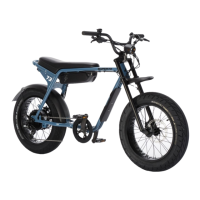
Power output will vary depending on battery capacity. Power output for the Super73-K1D
decreases at 20% state of charge to indicate that the battery should be charged soon.
If your Super73 has been shipped to you along with the battery, please fully charge the
battery before your first ride. When a battery leaves the factory, it’s not fully charged as
required by international air and sea legislation.
A. Remove the battery. Press the grey buttons on each side of the battery to release
the battery from the latch.
B. Plug the charger into a 120v wall outlet (220v EU).
C. Connect the charger cable to the battery charging port.
When the charging process starts, the charger LED turns red. The battery is fully charged
when the LED light on the charger is green.
A. Remove the charger cable from the battery charging port.
B. Remember to put the protective cap back onto the battery charging port after
charging to protect it from dirt and moisture.
C. To install the battery, align the charging pins of the rear of the battery with the pins
on the bike battery tray and then press the front of the battery into the latch.
DANGER!
Always make sure there is plenty of ventilation and a dry, fireproof environment for
the charger, including before and after connecting the charger.
In addition :
• Do not leave the battery connected to the active charger for more than 24 hours.
• Do not leave the charger connected to a wall outlet for more than 48 hours.
• Charge the battery and use the bike at least once every 90 days.
• Do not store the bike for more than 24 hours with an empty battery. This prevents
a deep discharge which will render your battery nonchargeable and in need of
replacement.
• Do not use the charger if the charger, main cable, or connector cable has any visible
signs of damage, or if you are aware that they have been damaged.
More information on range and battery care can be found in the Maintenance and
Components section on page 23 of this handbook.
Battery Range



 To Next Page