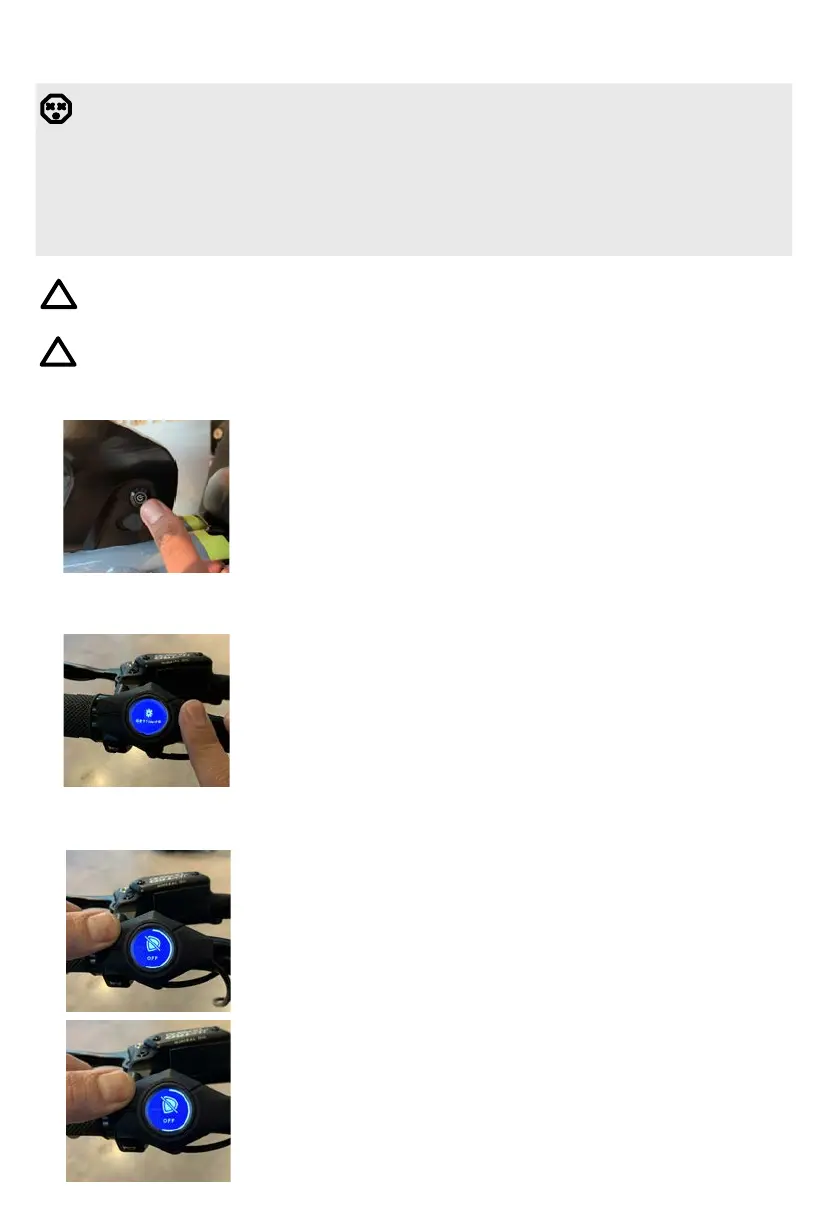
1. POWERING BIKE ON
• Disengage the kickstand, grab the brake handle to engage
the brakes, and seat yourself on the Super73.
• Switch the battery to the “I” position to turn the bike on.
• Once the display screen is illuminated, the throttle or pedal
assist will be active and you’re ready to ride.
15
DANGER!
Batteries that have not been fully inserted and locked can come loose during a ride
and fall out. This can cause a crash and damage the battery.
Do not place the key or any other metal object into the charging port as this can result
in a short circuit, rendering your battery nonchargeable and in need of replacement.
This will void the warranty.
OPERATING THE BIKE
Do not sit on a bike while the kickstand is supporting the bike.
!
2. CHANGING THE INFORMATION VIEWED ON THE DISPLAY
• Quick press “O” button to toggle the information viewed on
the display.
• Speed (mph)
• Range (miles)
• Assist (0-4)
• Total (miles)
Perform brake pad bed-in process before your first ride. For more information, please
see pg. 28.
!
3. OPERATING LIGHTS
• The Super73 RX model comes equipped with a front
headlight and rear brake light.
• To activate the lights, press and hold down the up “^” button
on the display until the lights illuminate. Follow the same
step to turn off the lights.
• The rear light will get brighter when the brake levers are
engaged whether the headlight is on or off.



 To Next Page